Mouse
- 2.4GHz
- Bluetooth
- Silent
- Vertical
- Wired
Wireless, wired and ergonomic UGREEN mice, plus a wrist-rest mouse pad. Each product page lists the exact specification.
How to choose a mouse
- Connection. 2.4GHz models use a small USB receiver plugged into the computer. Bluetooth models connect without a receiver to laptops, tablets and phones that have Bluetooth. Dual-mode and tri-mode mice offer both, so one mouse can switch between two or three devices. Wired USB mice need no pairing or charging.
- Receiver port. Most receivers plug into USB-A. On a laptop with only USB-C ports, use Bluetooth or a USB-C to USB-A adapter.
- Shape and handedness. Vertical mice keep the hand in a handshake position, which many people find easier on the wrist during long work days. Vertical mice are usually made for one hand, so check the product page before ordering.
- Size. Compare the dimensions on the product page with your hand. Compact mice suit travel; larger mice suit full-day desk use.
- DPI. Higher DPI moves the pointer further for the same hand movement. Adjustable DPI (up to 4000 on several models) helps on large or high-resolution screens.
- Silent clicks. Silent models reduce click noise in offices, libraries and shared rooms.
- Power. Check whether the mouse runs on replaceable batteries or a built-in rechargeable battery, and how it charges.
- Operating system. Pointing, clicking and scrolling work on Windows, macOS, ChromeOS and Linux. Extra buttons such as back and forward may not work the same way on every system. On tablets and phones, Bluetooth is usually the simplest option.
- 14% offNew arrivalSale price Rs. 3,149.00 Regular price Rs. 3,665.00Unit price
-
- 19% offNew arrivalSale price Rs. 1,805.00 Regular price Rs. 2,220.00Unit price
-
- Up to 55% offNew arrival
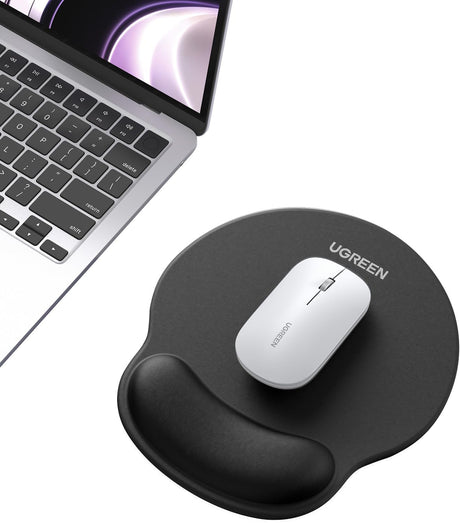
UGREEN LP668 Ergonomic Mouse Pad with Wrist Rest (25245/25243/25244)
Sale price Rs. 999.00 Regular price Rs. 2,220.00Unit price -
- 47% offNew arrival
UGREEN 15807 Dual-Mode Ergonomic Mouse, 4000 DPI, Blue
Sale price Rs. 1,749.00 Regular price Rs. 3,331.00Unit price -
- 47% offNew arrival
UGREEN 15805 Dual-Mode Ergonomic Mouse, 4000 DPI, White
Sale price Rs. 1,749.00 Regular price Rs. 3,331.00Unit price -
- 69% offNew arrival
UGREEN MU003 90371 2.4GHz Silent Mouse, 2400 DPI, Black
Sale price Rs. 699.00 Regular price Rs. 2,220.00Unit price -
- 48% offNew arrival
UGREEN MU007 Wired USB Mouse, 1200 DPI (90789)
Sale price Rs. 579.00 Regular price Rs. 1,109.00Unit price -
- 48% offNew arrival
UGREEN MU001 90373 2.4GHz Silent Mouse, 4000 DPI, Grey
Sale price Rs. 1,159.00 Regular price Rs. 2,220.00Unit price -
- 48% offNew arrival
UGREEN MU001 90374 2.4GHz Silent Mouse, 4000 DPI, Green
Sale price Rs. 1,159.00 Regular price Rs. 2,220.00Unit price -
- 51% offNew arrival
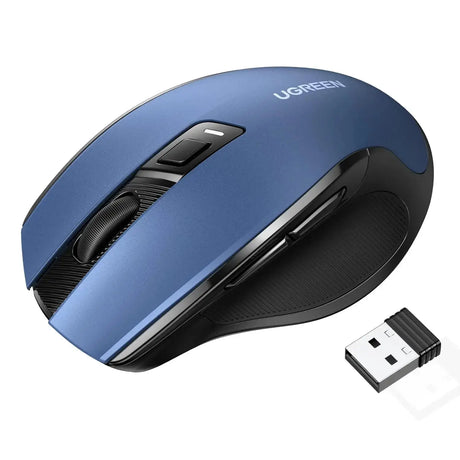
UGREEN 15064 2.4GHz Ergonomic Mouse, 4000 DPI, Blue
Sale price Rs. 1,409.00 Regular price Rs. 2,887.00Unit price -
- 27% offNew arrival
UGREEN M571 Wireless Vertical Ergonomic Mouse – 2.4GHz, 4000 DPI, 6 Buttons (55916)
Sale price Rs. 2,689.00 Regular price Rs. 3,699.00Unit price -
- 69% offNew arrival
UGREEN M511 45012 2.4GHz Wireless Ergonomic Mouse
Sale price Rs. 1,049.00 Regular price Rs. 3,331.00Unit price -
- New arrival
UGREEN MS71P 65042 Tri-Mode Vertical Mouse
Regular price Rs. 3,469.00Unit price -
- 59% offNew arrival
UGREEN MU006 25753 Dual-Mode Silent Mouse, 4000 DPI, Blue
Sale price Rs. 1,369.00 Regular price Rs. 3,331.00Unit price -
- 51% offNew arrival
UGREEN MU001 90372 2.4GHz Silent Mouse, 4000 DPI, Black
Sale price Rs. 1,079.00 Regular price Rs. 2,220.00Unit price -
- 28% offNew arrival
UGREEN 65666 Dual-Mode Vertical Mouse, 4000 DPI, Pink
Sale price Rs. 2,579.00 Regular price Rs. 3,599.00Unit price -