


UGREEN Nexode 100W 4-Port Desktop Charger
3 USB-C and USB-A, 1.5m EU cord plus India plug adapter



UGREEN Nexode model 90928 is a compact desktop charging station rather than a plug-mounted wall block. A detachable AC cord connects it to the mains while the four front ports remain accessible on a desk, shelf, counter or bedside table.
UGREEN Nexode 100W 4-Port Desktop Charger key features
- USB-C1 Primary high-power USB-C PD output; up to 100W independently with a compatible device and 5A e-marked cable.
- USB-C2 Second high-power USB-C PD output; also up to 100W independently and useful for a laptop or tablet.
- USB-C3 Lower-power USB-C output up to approximately 22.5W for compatible phones, tablets and accessories.
- USB-A Legacy USB-A charging output up to approximately 22.5W with supported cables and device protocols.
- Laptop plus phone Use C1 or C2 for a USB-C PD laptop and another port for a phone, recognising that the 100W total is redistributed.
- Desk or workstation Keep laptop, tablet, phone and an accessory connected to one desktop unit instead of several separate adapters.
- Bedside charging Place the low-profile unit on a hard bedside surface and charge personal devices without covering the ventilation area.
- Travel desk Use the universal-voltage charger where the supplied EU cord and India adapter—or an appropriate destination adapter—fit the local socket.
UGREEN Nexode 100W 4-Port Desktop Charger highlights

USB-C1
Primary high-power USB-C PD output; up to 100W independently with a compatible device and 5A e-marked cable.

USB-C2
Second high-power USB-C PD output; also up to 100W independently and useful for a laptop or tablet.
UGREEN Nexode 100W 4-Port Desktop Charger (90928-EUB) specifications
| Brand / series / SKU | UGREEN Nexode 90928 |
|---|---|
| Product type | GaN II desktop charging station |
| Maximum total output | 100W |
| Ports | 3 × USB-C; 1 × USB-A |
| AC input | 100–240V AC, 50/60Hz |
| USB-C1 / USB-C2 | 5V/3A, 9V/3A, 12V/3A, 15V/3A, 20V/5A; up to 100W individually |
| USB-C1 / USB-C2 PPS | Approximately 3.3–21V/5A |
| USB-C3 | Up to approximately 22.5W; port-specific PD/PPS profiles |
| USB-A | Up to approximately 22.5W with supported fast-charge profiles |
| All-four allocation | Approximately 45W + 30W + 10.5W + 10.5W |
| Power cord | Approximately 1.5m detachable EU Schuko cord in current India bundle |
| India connection | Schuko-to-India plug adapter included |
| Charger size | Approximately 87 × 84 × 30mm |
| Colour | Grey and black |
What's in the box
- UGREEN Nexode 100W four-port GaN II desktop charger (90928)
- About 1.5m detachable EU Schuko power cord
- Elektrik Schuko-to-India plug adapter (E2601C)
The EU-plug charger ships with an India plug adapter.
Good to know
Confirm that a laptop accepts charging through USB-C Power Delivery; USB-C shape alone does not guarantee charging support.
The India bundle has an EU Schuko cord and separate India plug adapter, not a native Indian-plug power cord.
No USB-C or USB-A device-charging cable is listed as included. Supply cables rated for each device and requested wattage.
The charger provides 100W maximum total. Multi-device allocations are lower per port and can change when devices are added.
UGREEN Nexode 100W 4-Port Desktop Charger FAQs
Can every port deliver 100W?
No. C1 or C2 can provide up to 100W when used alone. C3 and USB-A are lower-power ports, and the entire charger is limited to 100W total.
What happens when all four ports are used?
The stated allocation is approximately 45W from C1, 30W from C2 and 10.5W each from C3 and USB-A. Actual device draw can be lower.
Which port should I use for a laptop?
Use USB-C1 or USB-C2 with a compatible USB-C PD laptop. For more than 60W, use a suitable 5A e-marked USB-C cable.
Does it include an Indian power cord?
It includes an EU Schuko power cord and a Schuko-to-India plug adapter. The cord itself does not have a native Indian plug.
Does the plug adapter convert voltage?
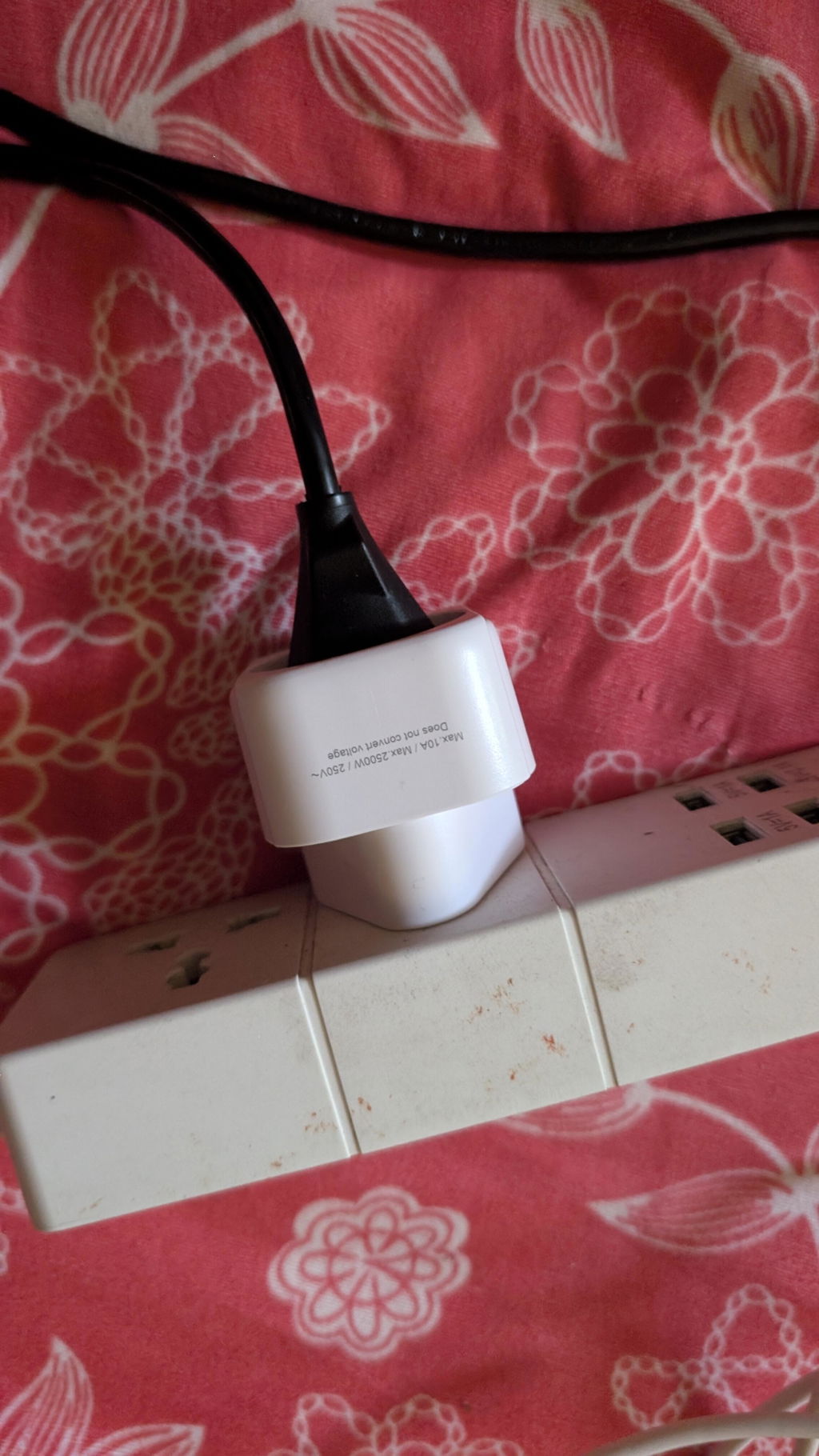
No. The charger accepts 100–240V AC; the adapter only changes the physical plug connection.
Are USB charging cables included?
No USB-C or USB-A device cable is listed as included. Supply a cable suitable for the device and required wattage.
Why did charging pause when I connected another device?
The charger may briefly renegotiate and redistribute power when its port load changes. The connected devices then resume at their supported allocations.
Will it charge a laptop that needs more than 100W?
It cannot exceed 100W. A compatible laptop may charge more slowly or continue drawing from its battery during demanding workloads.
Genuine UGREEN, imported and sold by Sophus Technosol Pvt Ltd, the authorised national distributor. GST invoice with every order. 1-year India warranty.
UGREEN Nexode model 90928 is a compact desktop charging station rather than a plug-mounted wall block. A detachable AC cord connects it to the mains while the four front ports remain accessible on a desk, shelf, counter or bedside table.
UGREEN Nexode 100W 4-Port Desktop Charger key features
- USB-C1 Primary high-power USB-C PD output; up to 100W independently with a compatible device and 5A e-marked cable.
- USB-C2 Second high-power USB-C PD output; also up to 100W independently and useful for a laptop or tablet.
- USB-C3 Lower-power USB-C output up to approximately 22.5W for compatible phones, tablets and accessories.
- USB-A Legacy USB-A charging output up to approximately 22.5W with supported cables and device protocols.
- Laptop plus phone Use C1 or C2 for a USB-C PD laptop and another port for a phone, recognising that the 100W total is redistributed.
- Desk or workstation Keep laptop, tablet, phone and an accessory connected to one desktop unit instead of several separate adapters.
- Bedside charging Place the low-profile unit on a hard bedside surface and charge personal devices without covering the ventilation area.
- Travel desk Use the universal-voltage charger where the supplied EU cord and India adapter—or an appropriate destination adapter—fit the local socket.
UGREEN Nexode 100W 4-Port Desktop Charger highlights
USB-C1
Primary high-power USB-C PD output; up to 100W independently with a compatible device and 5A e-marked cable.
USB-C2
Second high-power USB-C PD output; also up to 100W independently and useful for a laptop or tablet.
UGREEN Nexode 100W 4-Port Desktop Charger (90928-EUB) specifications
| Brand / series / SKU | UGREEN Nexode 90928 |
|---|---|
| Product type | GaN II desktop charging station |
| Maximum total output | 100W |
| Ports | 3 × USB-C; 1 × USB-A |
| AC input | 100–240V AC, 50/60Hz |
| USB-C1 / USB-C2 | 5V/3A, 9V/3A, 12V/3A, 15V/3A, 20V/5A; up to 100W individually |
| USB-C1 / USB-C2 PPS | Approximately 3.3–21V/5A |
| USB-C3 | Up to approximately 22.5W; port-specific PD/PPS profiles |
| USB-A | Up to approximately 22.5W with supported fast-charge profiles |
| All-four allocation | Approximately 45W + 30W + 10.5W + 10.5W |
| Power cord | Approximately 1.5m detachable EU Schuko cord in current India bundle |
| India connection | Schuko-to-India plug adapter included |
| Charger size | Approximately 87 × 84 × 30mm |
| Colour | Grey and black |
What's in the box
- UGREEN Nexode 100W four-port GaN II desktop charger (90928)
- About 1.5m detachable EU Schuko power cord
- Elektrik Schuko-to-India plug adapter (E2601C)
The EU-plug charger ships with an India plug adapter.
Good to know
Confirm that a laptop accepts charging through USB-C Power Delivery; USB-C shape alone does not guarantee charging support.
The India bundle has an EU Schuko cord and separate India plug adapter, not a native Indian-plug power cord.
No USB-C or USB-A device-charging cable is listed as included. Supply cables rated for each device and requested wattage.
The charger provides 100W maximum total. Multi-device allocations are lower per port and can change when devices are added.
UGREEN Nexode 100W 4-Port Desktop Charger FAQs
Can every port deliver 100W?
No. C1 or C2 can provide up to 100W when used alone. C3 and USB-A are lower-power ports, and the entire charger is limited to 100W total.
What happens when all four ports are used?
The stated allocation is approximately 45W from C1, 30W from C2 and 10.5W each from C3 and USB-A. Actual device draw can be lower.
Which port should I use for a laptop?
Use USB-C1 or USB-C2 with a compatible USB-C PD laptop. For more than 60W, use a suitable 5A e-marked USB-C cable.
Does it include an Indian power cord?
It includes an EU Schuko power cord and a Schuko-to-India plug adapter. The cord itself does not have a native Indian plug.
Does the plug adapter convert voltage?
No. The charger accepts 100–240V AC; the adapter only changes the physical plug connection.
Are USB charging cables included?
No USB-C or USB-A device cable is listed as included. Supply a cable suitable for the device and required wattage.
Why did charging pause when I connected another device?
The charger may briefly renegotiate and redistribute power when its port load changes. The connected devices then resume at their supported allocations.
Will it charge a laptop that needs more than 100W?
It cannot exceed 100W. A compatible laptop may charge more slowly or continue drawing from its battery during demanding workloads.
Genuine UGREEN, imported and sold by Sophus Technosol Pvt Ltd, the authorised national distributor. GST invoice with every order. 1-year India warranty.
-
Dimentions
-
Material
-
Warranty
-
Connector Type
-
Weight
Country of Origin: China
Manufactured by: UGREEN Group Limited
Imported & Marketed by: Sophus Technosol Private Limited, Durga Complex, 2nd Floor, #38/1, 3rd Cross, Sahakarnagar G Block, Bengaluru – 560092, Karnataka, India
Customer care: +91 94038 93363 (phone / WhatsApp) · info@ugreenindia.com · Mon–Sat, 10:30–18:00 IST
GST Invoice available, just mail back with details to order confirmation mail.
Buy direct from official UGREEN India
GST Invoice, Warranty, authenticity, faster support
It's amazin product very happy to have this in my home with long wire and indian adapter is cherry on the cake thanks ugreen
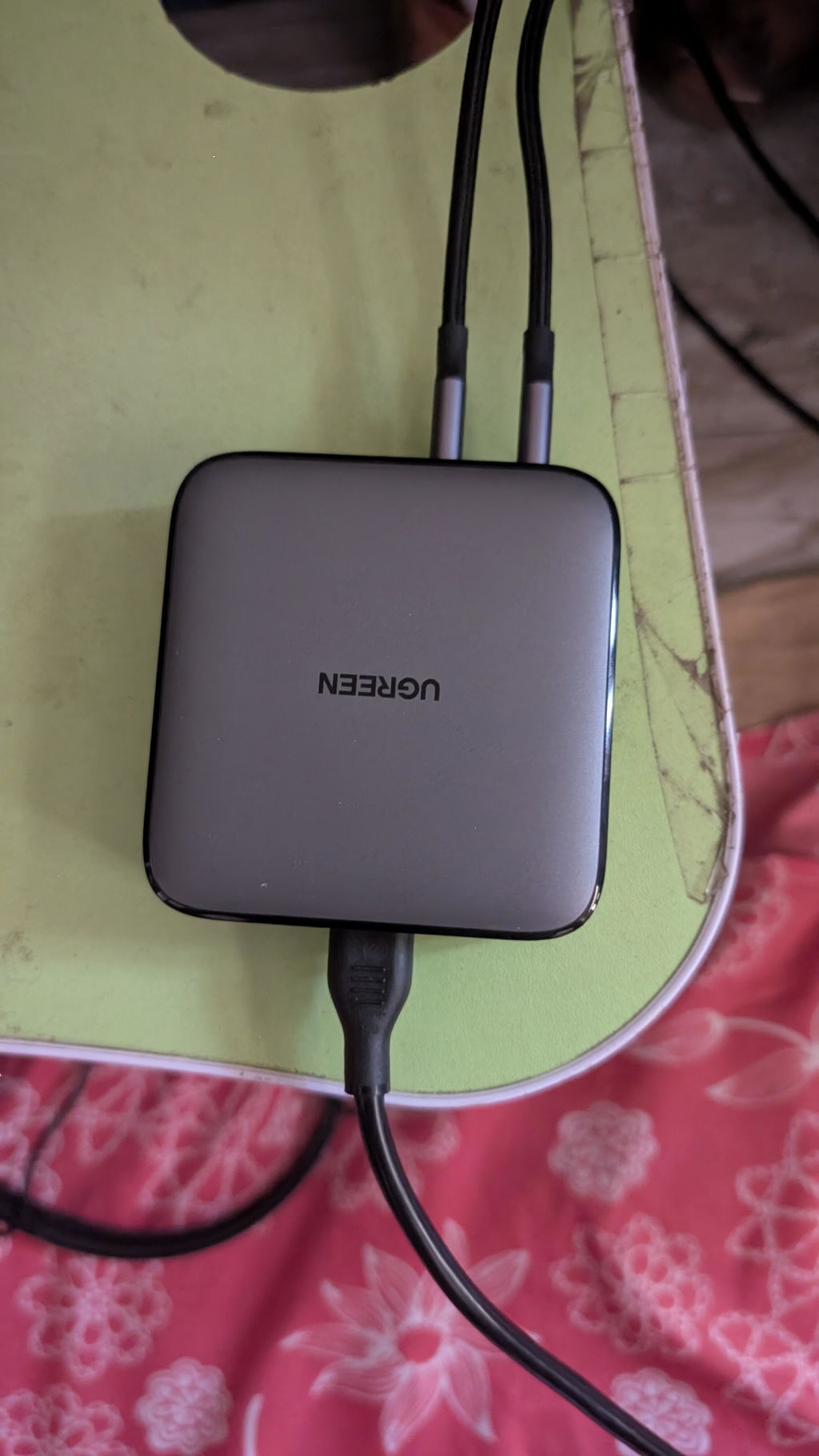
Good quality and beautiful
Worth the money
Awesome performance and quality of product. Would highly recommend to anyone who is looking for a GAN charger.
Its a two pin compatible with Indian charging plug.
It doeswork good with my Dell office laptop...and charges my samsung phone and watch..
Got the cable too,it's worth the money...
Ohh yaa ! it awsome i am gadget lover !! i have collected lot of ugreen products
this charger is solved my problem ! it wroth buying dirctly from urgeen india ! insted of amazon or someware else.
1.well packing
2. worked as expected
3.genuine product .
thank you ugreen !!
Best build quality with accurate fast charging
Very good quality
