

All-day comfort
Choose the ear-tip size that seals best.
| Feature | Detail |
|---|---|
| Ear tips | XS, S, M, L |
| Battery | 7h + case 24h |
Use: A good seal improves ANC and bass.

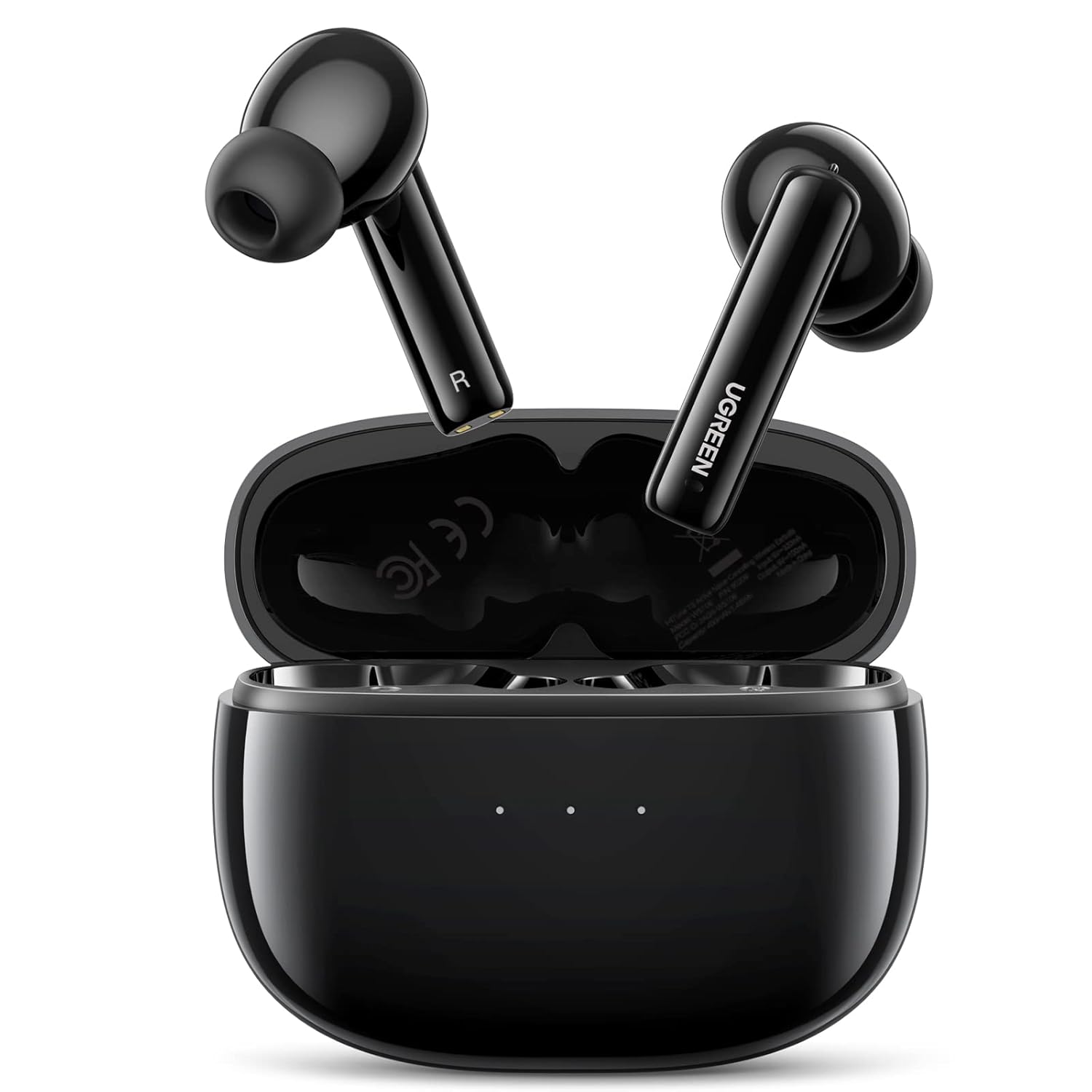




UGREEN HiTune T3 ANC Earbuds, Black, 24H – 90401

The UGREEN HiTune T3 (90401) are black true-wireless earbuds with active noise cancellation for commutes and a transparency mode for when you need to hear what is around you. Voice-enhancing processing keeps calls clear, and you get up to 7 hours per charge and 24 hours with the USB-C case.

Lower steady background noise on trains and planes.

Switch between ANC, transparency and normal modes.

Voice enhancement cuts background noise.
Choose the ear-tip size that seals best.
| Feature | Detail |
|---|---|
| Ear tips | XS, S, M, L |
| Battery | 7h + case 24h |
Use: A good seal improves ANC and bass.
| Device | Status | What to expect |
|---|---|---|
| iPhone and iPad | Compatible | Bluetooth audio and calls |
| Android phones and tablets | Compatible | Bluetooth audio and calls |
| Windows laptops and MacBook | Compatible | Select as Bluetooth output and microphone |
| Devices without Bluetooth | Not supported | Needs Bluetooth |
| Model | UGREEN 90401 (HiTune T3) |
|---|---|
| Bluetooth | 5.2 |
| Driver | 10mm PU + bio-composite |
| Modes | Normal, ANC, transparency |
| Battery | 7h earbuds, 24h with case |
| Charging | USB-C case |
| Ear tips | XS, S, M, L |
| Colour | Black |
Yes, active noise cancellation plus a transparency mode.
Up to 7 hours per charge and 24 hours with the case.
No water rating is listed for this model.
XS, S, M and L.
Genuine UGREEN, imported and sold by Sophus Technosol Pvt Ltd, the authorised national distributor. GST invoice with every order. 2-year India warranty.
The UGREEN HiTune T3 (90401) are black true-wireless earbuds with active noise cancellation for commutes and a transparency mode for when you need to hear what is around you. Voice-enhancing processing keeps calls clear, and you get up to 7 hours per charge and 24 hours with the USB-C case.
Lower steady background noise on trains and planes.
Switch between ANC, transparency and normal modes.
Voice enhancement cuts background noise.
Choose the ear-tip size that seals best.
| Feature | Detail |
|---|---|
| Ear tips | XS, S, M, L |
| Battery | 7h + case 24h |
Use: A good seal improves ANC and bass.
| Device | Status | What to expect |
|---|---|---|
| iPhone and iPad | Compatible | Bluetooth audio and calls |
| Android phones and tablets | Compatible | Bluetooth audio and calls |
| Windows laptops and MacBook | Compatible | Select as Bluetooth output and microphone |
| Devices without Bluetooth | Not supported | Needs Bluetooth |
| Model | UGREEN 90401 (HiTune T3) |
|---|---|
| Bluetooth | 5.2 |
| Driver | 10mm PU + bio-composite |
| Modes | Normal, ANC, transparency |
| Battery | 7h earbuds, 24h with case |
| Charging | USB-C case |
| Ear tips | XS, S, M, L |
| Colour | Black |
Yes, active noise cancellation plus a transparency mode.
Up to 7 hours per charge and 24 hours with the case.
No water rating is listed for this model.
XS, S, M and L.
Genuine UGREEN, imported and sold by Sophus Technosol Pvt Ltd, the authorised national distributor. GST invoice with every order. 2-year India warranty.
Country of Origin: China
Manufactured by: UGREEN Group Limited
Imported & Marketed by: Sophus Technosol Private Limited, Durga Complex, 2nd Floor, #38/1, 3rd Cross, Sahakarnagar G Block, Bengaluru – 560092, Karnataka, India
Customer care: +91 94038 93363 (phone / WhatsApp) · info@ugreenindia.com · Mon–Sat, 10:30–18:00 IST
GST Invoice available, just mail back with details to order confirmation mail.
GST Invoice, Warranty, authenticity, faster support
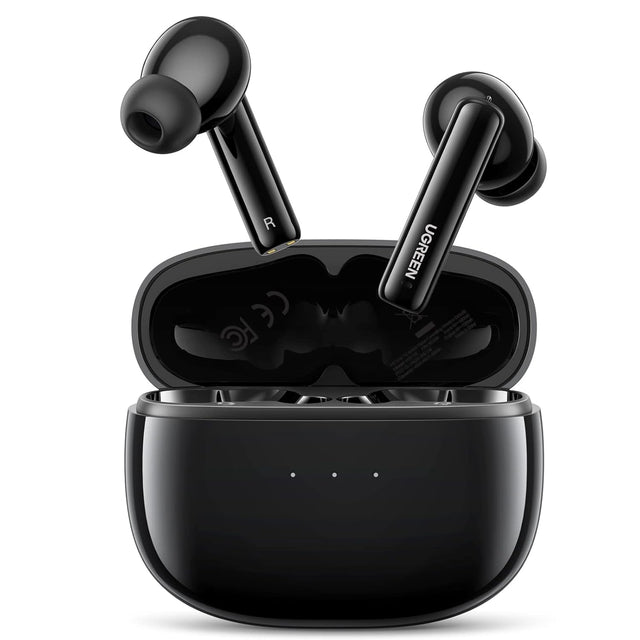
UGREEN 90401 is true-wireless in-ear earbuds for music and supported calls, with active noise cancellation, transparency mode, Bluetooth 5.2 and a pocket charging case. Below: direction, pairing, codec limits, microphone behaviour, battery expectations and safe use without borrowing claims from similar UGREEN products.
What it does. true-wireless in-ear earbuds for music and supported calls, with active noise cancellation, transparency mode, Bluetooth 5.2 and a pocket charging case.
Audio direction. A phone, tablet or computer sends Bluetooth audio to the two earbuds. The earbud microphones return supported call audio to the paired host. The case stores and recharges the earbuds; it is not a Bluetooth audio source.
Codec boundary. No codec list is asserted for SKU 90401. Playback uses the codec negotiated by the paired host and earbuds; aptX, LDAC and lossless Bluetooth are not claimed.
Compatibility boundary. Bluetooth audio hosts such as compatible iPhone and Android phones, iPad and Android tablets, and Bluetooth-capable Windows or macOS computers. App, game-console and television behaviour depends on their Bluetooth audio support.
A phone, tablet or computer sends Bluetooth audio to the two earbuds. The earbud microphones return supported call audio to the paired host. The case stores and recharges the earbuds; it is not a Bluetooth audio source.
Why direction matters: transmitter, receiver and headset roles are not interchangeable. A Bluetooth version number also does not establish microphone return, codec, multipoint or low latency.
Before pairing: identify the wired input/output, set the correct operating mode and lower volume at every powered endpoint.
Codec support. No codec list is asserted for SKU 90401. Playback uses the codec negotiated by the paired host and earbuds; aptX, LDAC and lossless Bluetooth are not claimed.
Delay and sync. No low-latency figure is asserted for SKU 90401. Bluetooth delay varies by host, codec, app and content, so competitive-game timing is not guaranteed.
Real-world sound. Final fidelity depends on the source file, negotiated codec, RF conditions, transducers, fit, amplifier and volume. “Bluetooth 5.x” alone is not a sound-quality tier.
For games and video. Treat every millisecond figure as a controlled test result. Wireless display processing, game engines and headset buffering can add delay.
Scenario 1. Daily music and podcasts with selectable ANC or transparency.
Scenario 2. Supported voice calls on a paired phone or computer.
Scenario 3. Commuting, with transparency used when environmental awareness is important.
Scenario 4. Light exercise only when the earbuds remain dry and secure.
Scenario 5. Desk and travel use with the charging case carried separately from keys or liquids.
Best practice: pair one endpoint first, verify stable audio, then add any supported second endpoint. This makes faults easier to isolate.
Controls. Touch controls manage supported playback, calls and listening-mode changes. Gestures should follow the supplied manual; control availability can differ by app and operating system.
Microphone and calls. Supported through the earbud microphones with UGREEN’s call voice-enhancement and background-noise-suppression processing. Call clarity still depends on wind, fit, network and environment.
Two-device behaviour. No multipoint or simultaneous two-host connection is claimed. Pair one active source and switch through the source Bluetooth settings when changing devices.
Reset path. If one side is silent or pairing fails, place both earbuds in the charged case, remove the saved HiTune T3 entry from the host and follow the manual’s reset/re-pair sequence. Do not invent gestures from another HiTune model.
Compatibility class: Bluetooth audio hosts such as compatible iPhone and Android phones, iPad and Android tablets, and Bluetooth-capable Windows or macOS computers. App, game-console and television behaviour depends on their Bluetooth audio support.
Start with one device. Pair and test one endpoint before adding a supported second device or extra cable path.
Keep volume low. Begin at low source and destination volume, especially after switching RX/TX, ANC modes or audio outputs.
Keep firmware and OS current. Updates can improve Bluetooth stability, but use only official vendor updates and do not assume they add unlisted hardware features.
Protect ports and batteries. Grip connectors by housings, keep charging contacts dry and store the product away from loose metal objects.
Confirm active codec or mode. Use the host menu or product display when available. Marketing names do not prove what was negotiated.
Dry before charging. After sweat or a splash, wipe and air-dry completely before returning earbuds to a case or connecting USB power.
Do not assume version = feature. Bluetooth 5.x does not automatically mean aptX, LDAC, ANC, multipoint or microphone return.
Do not force connectors. Stop if a plug does not align or fully seat; check direction, port type, case clearance and debris.
Do not charge wet hardware. Moisture plus charging contacts can cause corrosion, heat or failure.
Do not use ANC as protection. Noise cancellation does not certify safe exposure in factories, workshops, shooting, aviation or other hazardous noise.
Do not pair while driving. Configure calls, volume and source switching only while safely parked.
Do not invent reset gestures. Use this model manual; similar HiTune and Bluetooth adapters use different button timing.
Runtime: Up to 7 hours from the earbuds and up to 24 hours total with the charging case under UGREEN test conditions. ANC, calls, volume, temperature and signal conditions can reduce runtime.
Power method: USB-C charging case. Use a standard compliant USB power source, keep the port dry and allow the case and earbuds to cool before charging.
No pairing. Move endpoints close together, charge/power both, disconnect competing saved devices, verify TX/RX direction and restart pairing.
Audio but no microphone. Confirm the app selected the earbuds as input and that microphone permission is enabled; reconnect after another call app releases the headset.
Drop-outs. Reduce distance, remove body/metal obstruction, move away from crowded 2.4GHz sources and test one paired device at a time.
Delay. Use a low-latency mode only where listed, confirm both endpoints support the needed codec and compare with a wired path.
Only one side/listener. Charge both earbuds, clean dry charging contacts, forget the saved record and perform this model reset.
Model-specific reset. If one side is silent or pairing fails, place both earbuds in the charged case, remove the saved HiTune T3 entry from the host and follow the manual’s reset/re-pair sequence. Do not invent gestures from another HiTune model.
Numbers are model listing or exact-media figures unless marked unverified. They are qualified laboratory maxima, not universal guarantees.
Package: HiTune T3 earbuds, charging case, USB-C charging cable, four ear-tip pairs (XS/S/M/L) and user documentation, as listed on this product record.
It is true-wireless in-ear earbuds for music and supported calls, with active noise cancellation, transparency mode, Bluetooth 5.2 and a pocket charging case.
A phone, tablet or computer sends Bluetooth audio to the two earbuds. The earbud microphones return supported call audio to the paired host. The case stores and recharges the earbuds; it is not a Bluetooth audio source.
No codec list is asserted for SKU 90401. Playback uses the codec negotiated by the paired host and earbuds; aptX, LDAC and lossless Bluetooth are not claimed.
No low-latency figure is asserted for SKU 90401. Bluetooth delay varies by host, codec, app and content, so competitive-game timing is not guaranteed.
Supported through the earbud microphones with UGREEN’s call voice-enhancement and background-noise-suppression processing. Call clarity still depends on wind, fit, network and environment.
No multipoint or simultaneous two-host connection is claimed. Pair one active source and switch through the source Bluetooth settings when changing devices.
Up to 7 hours from the earbuds and up to 24 hours total with the charging case under UGREEN test conditions. ANC, calls, volume, temperature and signal conditions can reduce runtime.
USB-C charging case. Use a standard compliant USB power source, keep the port dry and allow the case and earbuds to cool before charging.
Bluetooth audio hosts such as compatible iPhone and Android phones, iPad and Android tablets, and Bluetooth-capable Windows or macOS computers. App, game-console and television behaviour depends on their Bluetooth audio support.
If one side is silent or pairing fails, place both earbuds in the charged case, remove the saved HiTune T3 entry from the host and follow the manual’s reset/re-pair sequence. Do not invent gestures from another HiTune model.
HiTune T3 earbuds, charging case, USB-C charging cable, four ear-tip pairs (XS/S/M/L) and user documentation, as listed on this product record