UGREEN / Model 65867
UGREEN 240W USB-C Cable with Digital Display, 2 m
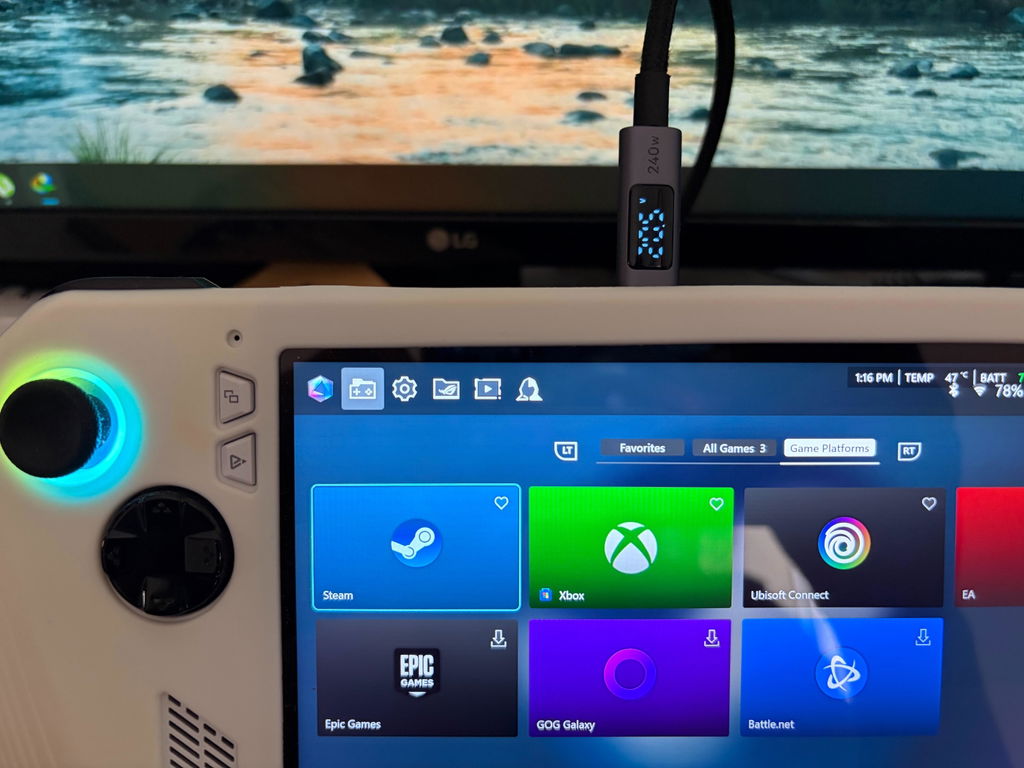
See the power flowing to your device while you charge. UGREEN 65867 combines a two-metre USB-C cable with a built-in display for wattage, voltage and current, plus support for USB Power Delivery 3.1 charging up to 240W.

Useful charging information, right on the cable.
The digital screen cycles through wattage, voltage and current, giving you a convenient view of the connection while your device charges. You can observe how the reading changes as the battery fills or the device’s workload changes.
The reading is the power flowing through the cable at that moment. It should not be read as the battery’s stored energy or a promise that the device will keep drawing the same power throughout a charge.

Room for high-power USB-C charging.
USB Power Delivery 3.1 support provides a charging ceiling of up to 240W with compatible equipment. The cable can also serve lower-power charging setups, including compatible 140W and 100W devices.
Match the charger, device and supported charging profile. The cable does not raise the output of a smaller charger or make a device accept more power than it is designed to take.
Charging speed varies with the battery level, temperature and device use. A lower displayed wattage can be normal as a battery approaches full charge.

Two metres to arrange your space.
The two-metre length gives you more freedom to route the connection from a nearby charger to your desk, sofa or travel setup. Measure the route and leave enough slack to avoid tension at either USB-C port.
The nylon braided jacket and aluminium connector housings suit everyday handling. An E-marker identifies the cable’s supported capabilities to compatible equipment as part of the USB-C charging connection.
Keep the connector area free from sharp bends. Hold the housing when unplugging and keep the charger and connected device clear of soft coverings while in use.

Check your device. Find your fit.
Check the exact device and port requirements below; brand names alone do not establish compatibility.
Use with compatible USB-C charging devices such as USB-C MacBook and iPad models, USB-C iPhones, Samsung Galaxy phones and tablets, and USB-C charging laptops from HP or Dell. It can also connect compatible power banks and other USB-C charging accessories.
Check the exact device port and charging specification. A brand or model family can include different connectors and power requirements. Lightning devices require a different device-end connector.
If your task also requires high-speed data or an external display, check that function separately before choosing a cable. The 240W rating describes charging capability and does not establish a data-speed or video specification.

Set up with confidence.
- Choose a USB-C charger suitable for the receiving device and the charging level you want.
- Connect the cable securely to the charger and device, leaving the digital display where you can see it.
- Check the device’s charging indicator and allow the connection to negotiate its power level.
- Use the changing wattage, voltage and current readings to observe the charging session. Recheck the charger and device limits if the available power is lower than expected.

The essentials, clearly listed.
| Model / SKU | UGREEN 65867 |
|---|---|
| Cable length | 2 metres |
| Connectors | USB-C to USB-C |
| Charging support | USB Power Delivery 3.1; up to 240W with compatible charger and device |
| Digital display | Wattage, voltage and current readings |
| Construction | Nylon braided exterior; aluminium connector housings |
| Cable identification | Built-in E-marker |
Good questions. Clear answers.
Why does the screen show less than 240W?
240W is the cable’s maximum supported charging level. The charger’s output and the device’s accepted profile determine the actual draw, which also changes during charging.
Can I use it with a lower-power USB-C device?
Yes, when the device and charger support a compatible USB-C charging connection. The device negotiates the power it accepts; the cable does not force its maximum rating into the device.
What do the display readings mean?
Voltage is the electrical potential supplied on the connection, current is the flow being drawn and wattage expresses the resulting power. The screen lets you observe these values during the charging session.
Does the display show battery percentage?
The listed display functions are wattage, voltage and current. Check the device itself for its battery percentage and remaining charge estimate.
Does 240W also mean high-speed data or video?
No. Wattage describes charging power. Choose by an explicit data or video specification if those functions are essential to your setup.
What should I check if charging stops or flickers?
Check both USB-C connections, the charger and any obstruction around the device port. Test a known-good compatible charging setup and stop using the cable if it is visibly damaged.