


UGREEN 70694 DisplayPort to HDMI Adapter 4K@60Hz, DP Male to HDMI Female Converter, 25cm


UGREEN 70694 DisplayPort to HDMI Adapter 4K@60Hz, DP Male to HDMI F...

UGREEN DisplayPort Male to HDMI Female Adapter 4K@60Hz
Connect a desktop computer, laptop, workstation or graphics card with full-size DisplayPort output to an HDMI monitor, television or projector. The UGREEN 70694 supports video up to 4K at 60Hz, compatible HDMI audio, mirror and extended-display modes, and plug-and-play operation in a compact 25cm adapter.

Maximum Video Output
High-Refresh QHD Output
Compact Adapter Length
DisplayPort to HDMI
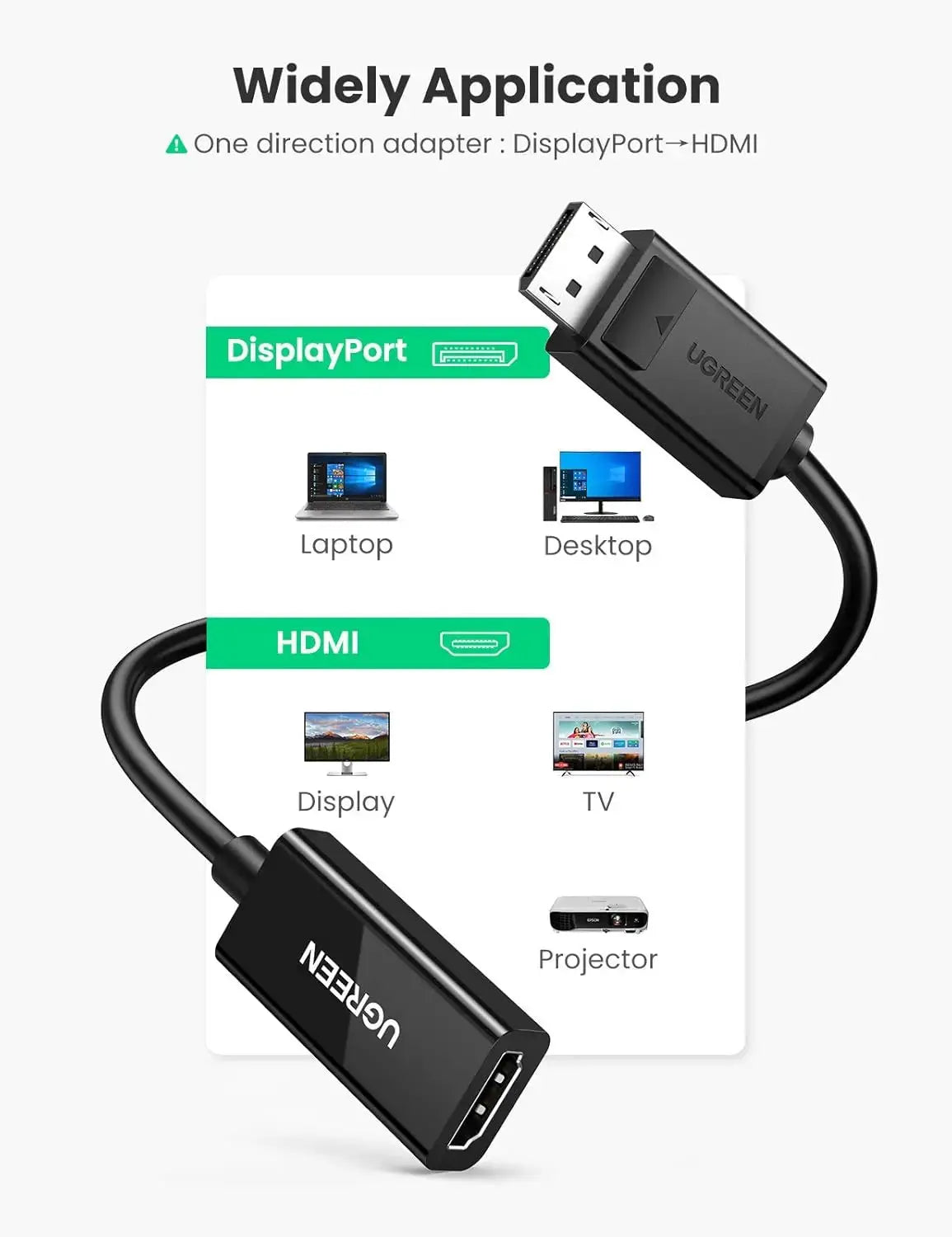
Connect a DisplayPort Computer to an HDMI Screen
Insert the full-size DisplayPort male connector into a compatible computer, graphics card, workstation or docking station. Connect a separate HDMI cable to the adapter’s HDMI female socket and then connect the cable to an HDMI television, monitor or projector.
DisplayPort Input
Connects to a compatible full-size DisplayPort output on the source device.
HDMI Female Output
Accepts a standard HDMI male cable for connection to the display.
Audio and Video
Carries compatible digital video and audio through the HDMI connection.
Unidirectional Adapter — DisplayPort to HDMI Only
The adapter converts a DisplayPort signal from a computer into HDMI for a display. It cannot convert an HDMI-output laptop, console, set-top box or media player into DisplayPort for a DP monitor.
Correct Connection
- DisplayPort computer or GPU output
- UGREEN 70694 adapter
- Separate HDMI male-to-male cable
- HDMI monitor, TV or projector input
- Reverse HDMI-to-DisplayPort conversion is not supported
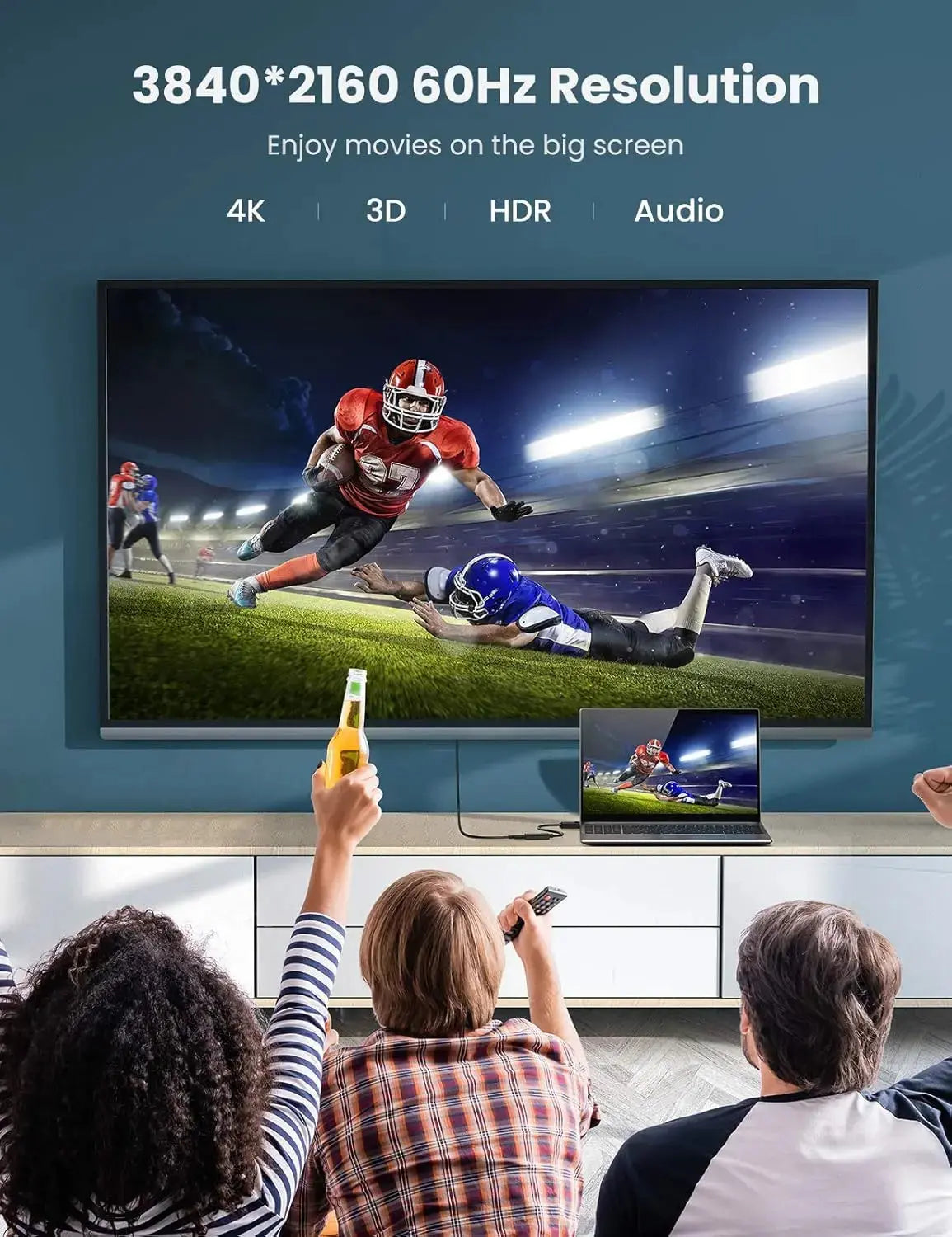
Up to 3840 × 2160 at 60Hz
Use a compatible DisplayPort source and HDMI display for smooth 4K@60Hz video. The adapter is also backward-compatible with lower resolutions and supports high-refresh modes including 2560 × 1440 at 120Hz and 1920 × 1080 at 144Hz where supported.
Every Component in the Connection Must Support 4K@60Hz
The adapter cannot increase the capabilities of the source or display. A lower-specification DisplayPort output, HDMI cable or television input may limit the connection to 4K@30Hz, 1080p or another supported mode.
For 4K@60Hz Output
- Use a source capable of 4K@60Hz through DisplayPort.
- Use an HDMI 2.0-or-higher cable.
- Connect to a 4K@60Hz-capable HDMI display input.
- Select the correct resolution and refresh rate in display settings.
- Update the graphics driver when required.
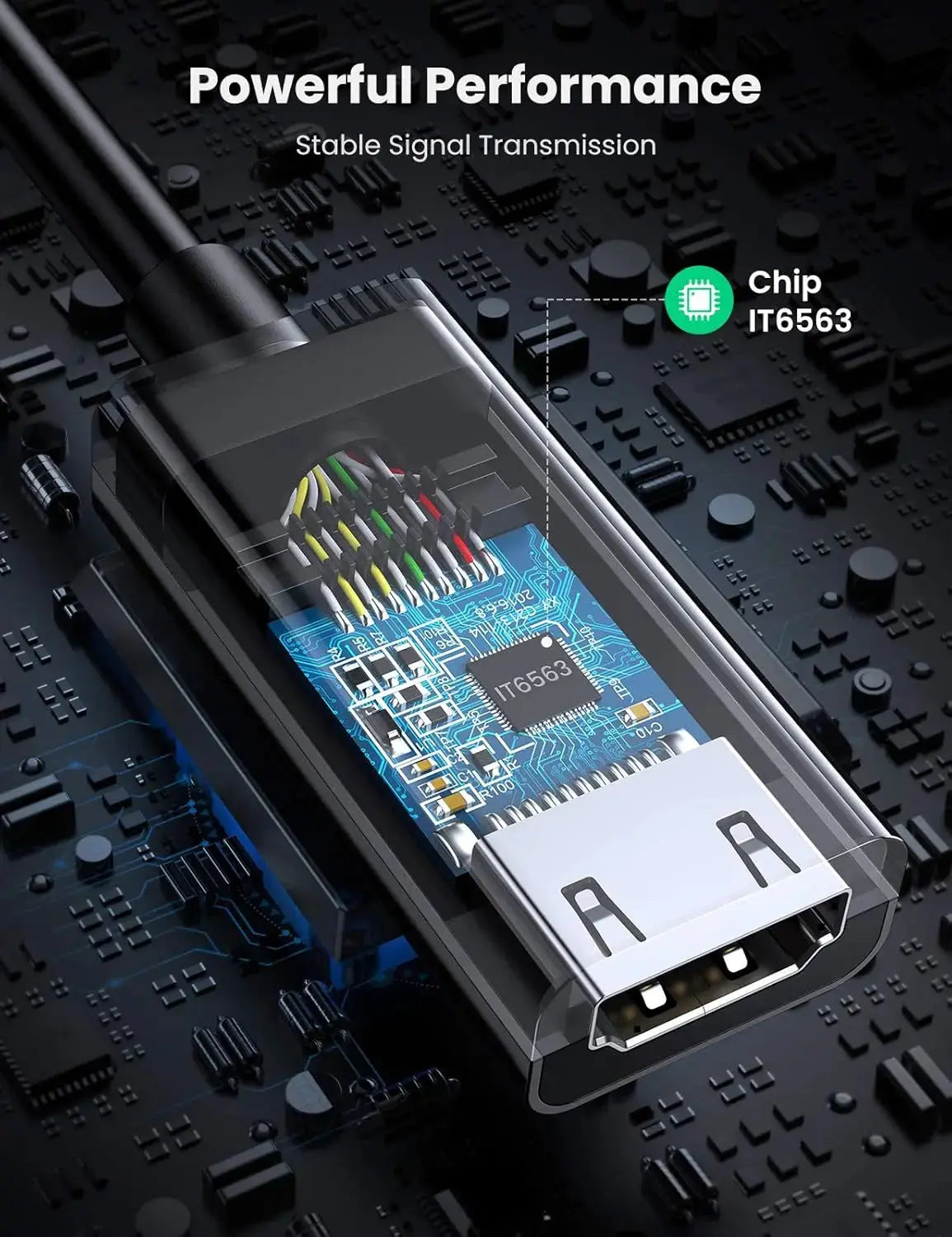
Built-In Conversion Electronics for Reliable Display Output
The adapter converts the incoming DisplayPort signal into a compatible HDMI output. Gold-plated connector surfaces, tinned-copper conductors and internal shielding are designed to maintain stable video and audio transmission.
Construction Highlights
- Gold-plated connector contacts
- Tinned-copper internal conductors
- Aluminium-foil shielding
- Braided internal shielding
- Durable PVC cable jacket
- Protective ABS converter housing
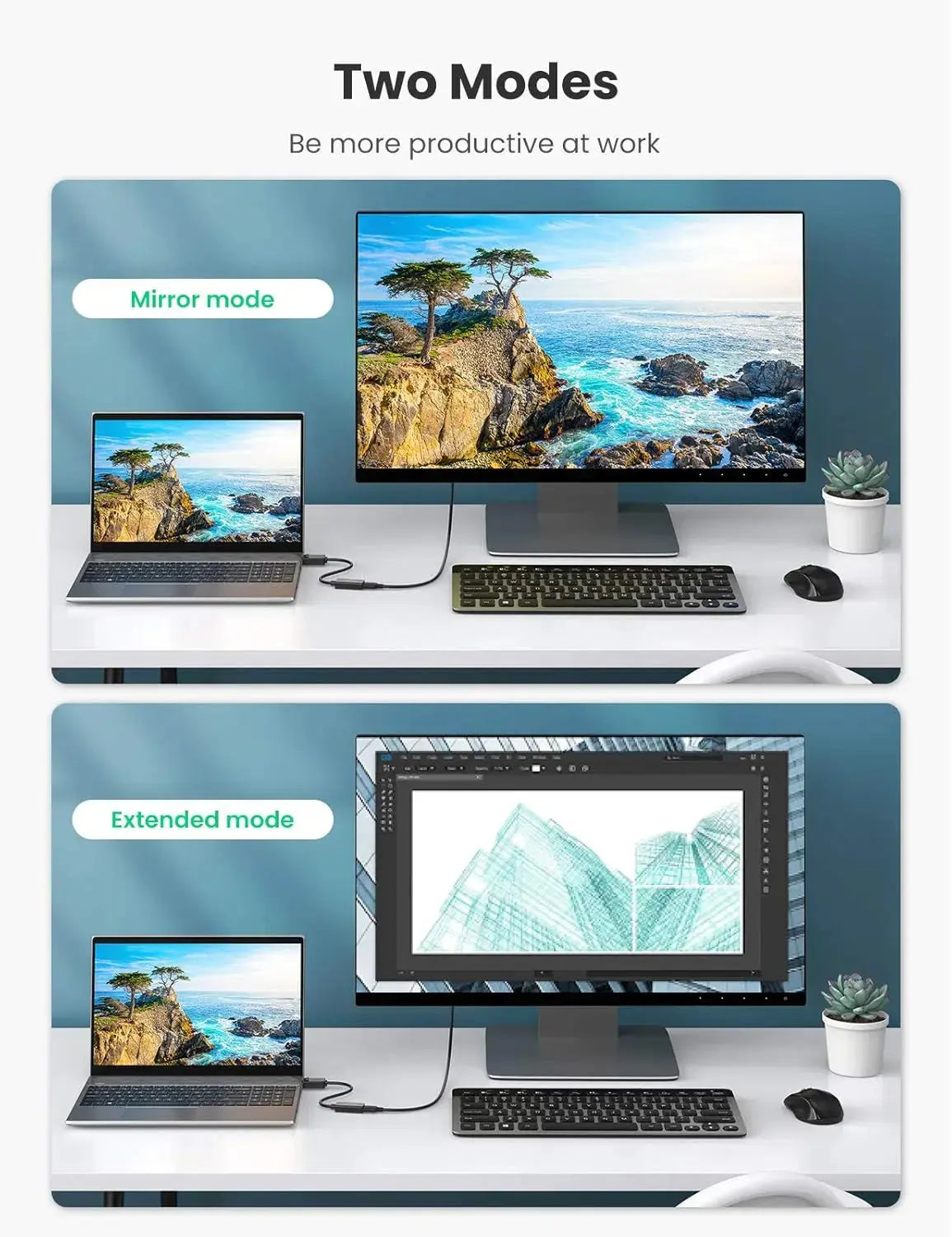
Duplicate the Main Screen or Expand Your Workspace
Configure the connected HDMI display through the computer’s normal display settings. Available modes depend on the graphics hardware, operating system and number of displays supported by the source device.
Mirror Mode
Display the same presentation, video, document or application on both screens.
Extended Mode
Use the external HDMI monitor as a second workspace for separate windows and applications.
Transmit Compatible Audio and Video Together
When supported by the computer’s DisplayPort output, audio can travel through the adapter and HDMI cable to a television, monitor, projector or compatible audio-video system.
Audio Troubleshooting
- Select the HDMI display as the playback device.
- Confirm that the DisplayPort source supports audio.
- Check the television or monitor volume.
- Reconnect the adapter after changing audio settings.
- The adapter cannot generate audio not supplied by the source.

Easy to Carry for Meetings, Offices and Travel
The short flexible adapter fits easily inside a laptop bag, accessories pouch or workstation drawer. Its cable section also reduces the direct mechanical load that a rigid adapter can place on the computer’s DisplayPort socket.
Ideal For
- Office workstations
- Business presentations
- Conference rooms
- Classrooms and projectors
- Home entertainment
- Desktop graphics cards
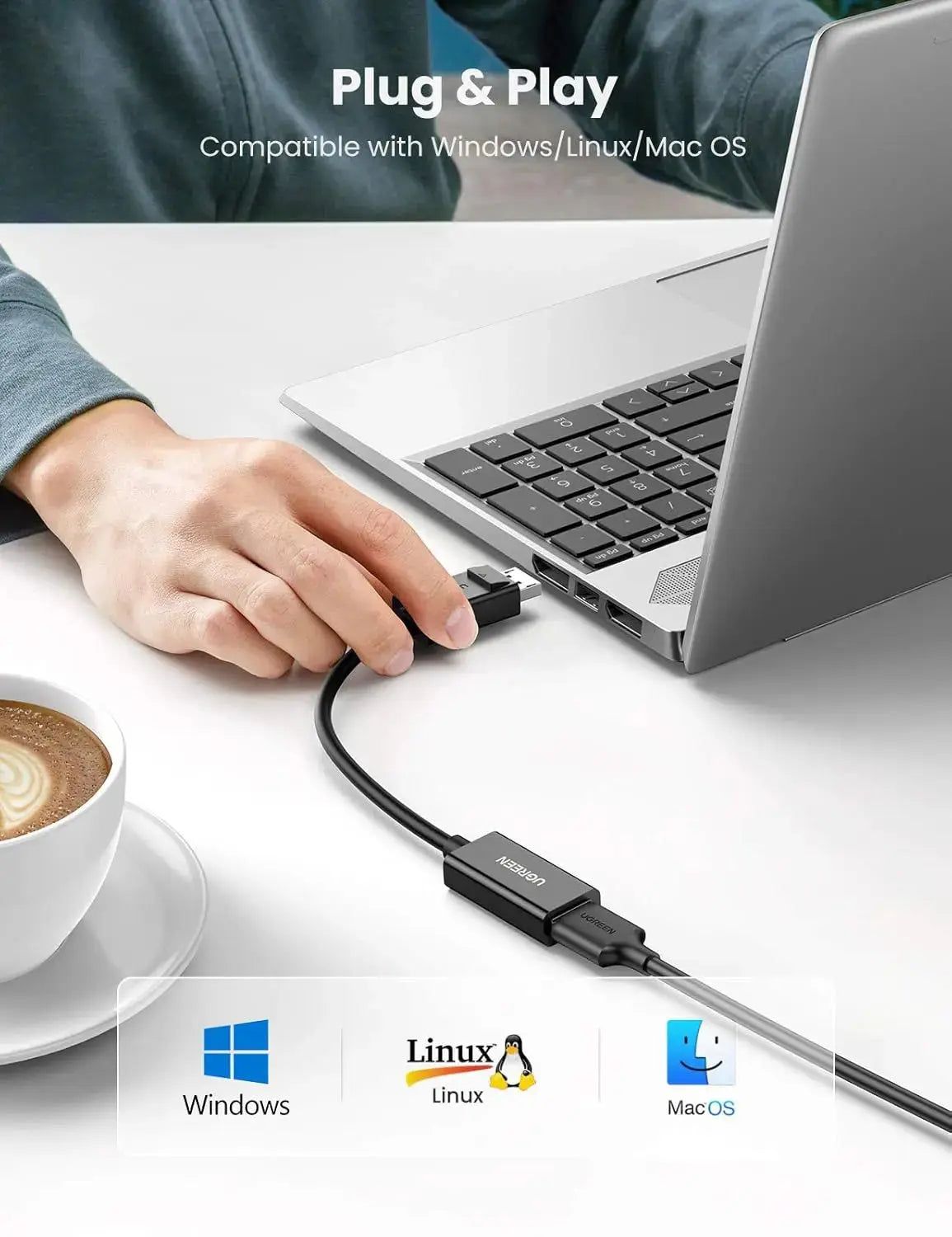
Connect without Installing a Separate Adapter Driver
1. Connect DP
Insert the latching DisplayPort plug into the source device.
2. Add HDMI Cable
Connect a suitable HDMI male cable to the female socket.
3. Connect Display
Attach the HDMI cable to the television, monitor or projector.
4. Select Output
Choose the resolution, refresh rate and display mode in system settings.
Press the Release Button before Removing the Adapter
The DisplayPort connector uses retaining latches to reduce accidental disconnection. Do not pull the cable forcefully. Press and hold the release button before withdrawing the DisplayPort plug.
Connection Care
- Align the DisplayPort connector before insertion.
- Insert it fully until the connection is secure.
- Press the release button before unplugging.
- Hold the connector housing rather than pulling the cable.
- Avoid sharp bends near either connector.
Connect DisplayPort Computers to HDMI Displays
The adapter works with compatible source devices that provide a full-size DisplayPort output and destination displays fitted with a standard HDMI input.
Desktop PCs
Connect compatible business, home and workstation computers.
Graphics Cards
Use with suitable AMD, NVIDIA and other GPU DisplayPort outputs.
Business Laptops
Compatible with laptops and docking stations offering full-size DisplayPort.
HDMI Monitors
Connect office, creative and compatible gaming displays.
Televisions
Display supported computer video and audio on a compatible HDTV or 4K TV.
Projectors
Connect to HDMI projectors for meetings, training and classroom use.
Understand the Connector and Signal Requirements
This product is a compact DisplayPort-to-HDMI display adapter. It is not an HDMI splitter, capture device, USB adapter or HDMI-to-DisplayPort converter.
Do Not Advertise It As
- Bidirectional DP and HDMI adapter
- HDMI-to-DisplayPort converter
- USB-C or Mini DisplayPort adapter
- HDMI splitter or dual-display adapter
- Video capture or recording card
- HDMI cable included product
- Resolution enhancer for unsupported equipment
What This Product Does
- Converts a full-size DisplayPort output into HDMI.
- Provides an HDMI female socket for a separate HDMI cable.
- Supports video up to 3840 × 2160 at 60Hz.
- Supports 2560 × 1440 at up to 120Hz.
- Supports 1920 × 1080 at up to 144Hz.
- Transmits compatible digital audio through HDMI.
- Supports mirror and extended-display modes.
- Works without a separately installed adapter driver.
- Uses a secure latching DisplayPort connector.
- Uses gold-plated contacts and tinned-copper conductors.
- Includes foil and braided internal shielding.
- Provides a compact 25cm portable design.
Please Check Before Buying
- The source must have a full-size DisplayPort output.
- This does not fit Mini DisplayPort or USB-C ports.
- The destination display must have an HDMI input.
- A separate HDMI male-to-male cable is required.
- Signal direction is DisplayPort to HDMI only.
- HDMI-to-DisplayPort reverse use is not supported.
- 4K@60Hz requires compatible equipment throughout the connection.
- The adapter cannot increase the source device’s maximum resolution.
- Audio requires a DisplayPort source capable of transmitting audio.
- This adapter connects one source to one display.
- Press the DisplayPort release button before unplugging.
- Confirm the applicable UGREEN India warranty before publication.
Specification Sheet
Complete product information for UGREEN SKU 70694 DisplayPort Male to HDMI Female Converter.
| Specification | Details |
|---|---|
| Brand | UGREEN |
| SKU | 70694 |
| Product Type | DisplayPort male to HDMI female video and audio converter adapter |
| Input Connector | Full-size DisplayPort male with retaining latch and release button |
| Output Connector | Standard HDMI Type-A female |
| Signal Direction | DisplayPort source to HDMI display only |
| Reverse HDMI-to-DisplayPort Use | Not supported |
| Maximum Resolution | Up to 3840 × 2160 at 60Hz with compatible equipment |
| QHD Support | Up to 2560 × 1440 at 120Hz as listed |
| Full HD Support | Up to 1920 × 1080 at 144Hz as listed |
| Audio Support | Compatible digital audio through HDMI when supplied by the DisplayPort source |
| Display Modes | Mirror and extended desktop, depending on source hardware and operating system |
| Driver Requirement | Plug and play; no separate adapter driver normally required |
| HDMI Cable | Separate HDMI male-to-male cable required |
| Recommended HDMI Cable | HDMI 2.0-or-higher cable for a complete 4K@60Hz connection |
| Adapter Length | 25cm |
| Conductor Material | Tinned-copper internal conductors as listed |
| Shielding | Aluminium foil and braided shielding as listed |
| Connector Finish | Gold-plated connector surfaces |
| Housing Material | ABS converter housing with durable PVC cable construction |
| Colour | Black |
| Typical Compatible Sources | Desktop PCs, workstations, business laptops, graphics cards and docking stations with full-size DisplayPort output |
| Typical Compatible Displays | HDMI televisions, monitors, projectors and compatible display equipment |
| Typical Operating Systems | Compatible Windows, macOS and Linux computers with supported DisplayPort hardware |
| Listed Dimensions | 11 × 11 × 1.7cm, likely retail-package dimensions |
| Listed Weight | 52g |
| Package Contents | 1× UGREEN DisplayPort male to HDMI female adapter; HDMI cable sold separately |
| Warranty | Product-specific India specification lists 18 months; confirm whether the current two-year India policy supersedes it |
| Best Use | 4K monitors, televisions, projectors, office workstations, presentations, classrooms and home entertainment |
| GST Invoice | Available from UGREEN India |
Frequently Asked Questions
Important answers for customers buying the UGREEN 70694 DisplayPort to HDMI Adapter.
What is UGREEN 70694 used for?
It connects a computer or graphics card with full-size DisplayPort output to an HDMI television, monitor or projector.
Does it support 4K@60Hz?
Yes. It supports up to 3840 × 2160 at 60Hz when the DisplayPort source, graphics hardware, HDMI cable and display all support that mode.
Does it support high-refresh 1080p or 1440p?
The product listing specifies backward support for 2560 × 1440 at 120Hz and 1920 × 1080 at 144Hz with compatible equipment.
Can it convert HDMI to DisplayPort?
No. It is unidirectional and works only from a DisplayPort source to an HDMI display.
Is an HDMI cable included?
A separate HDMI male-to-male cable is required and should not be described as included unless supplied under a specific bundle.
Does it carry audio?
Yes, when the DisplayPort source provides audio. Select the HDMI display as the playback device in the computer’s sound settings.
Does it support mirror and extended mode?
Yes. Compatible computers can duplicate the primary screen or use the HDMI display as an additional desktop.
Does it need a driver?
No separate adapter driver is normally required. Display and audio settings are controlled through the operating system.
Will it work with a USB-C laptop?
Not directly. The laptop must have a full-size DisplayPort output. A USB-C laptop normally requires a suitable USB-C-to-HDMI adapter.
Is DisplayPort the same as Mini DisplayPort?
No. This product uses the larger full-size DisplayPort connector and does not fit Mini DisplayPort sockets.
Why am I not getting 4K@60Hz?
Check the source DisplayPort specification, graphics settings, HDMI cable rating, selected HDMI input and display capabilities. Every part of the connection must support 4K@60Hz.
How do I remove the DisplayPort connector?
Press and hold the release button on the DisplayPort plug before gently withdrawing it from the source port.
What is the warranty?
The product-specific UGREEN India specification lists 18 months. Confirm whether the current two-year direct-warranty policy supersedes that period for SKU 70694.
Buy Direct from Official UGREEN India
Shop genuine UGREEN display adapters in India with GST invoice availability, assured authenticity, official India warranty support and responsive local assistance.
-
Dimentions
-
Material
-
Warranty
-
Length
-
Connector Type
-
Weight
GST Invoice available, just mail back with details to order confirmation mail.
Buy direct from official UGREEN India
GST Invoice, Warranty, authenticity, faster support
