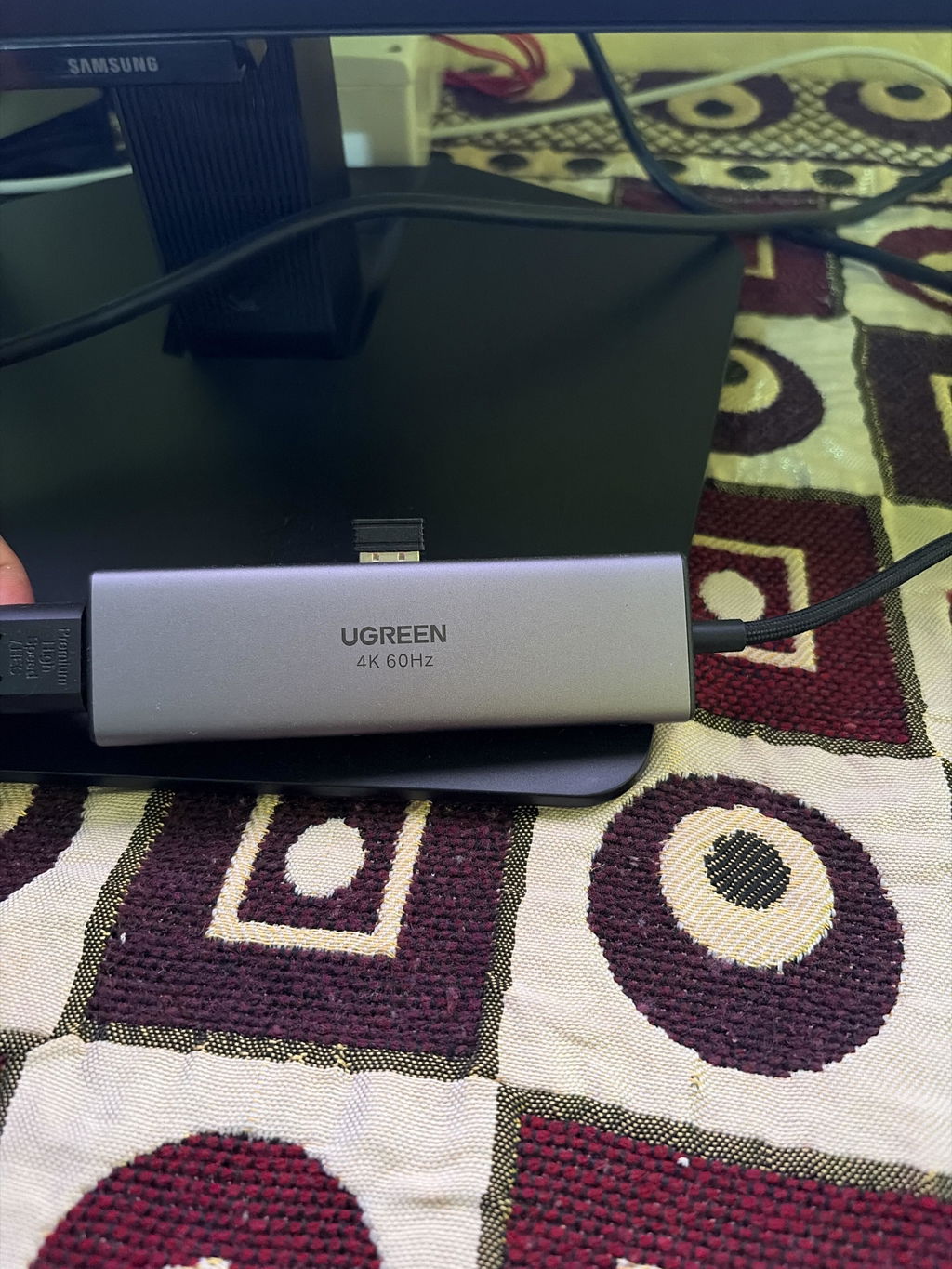
I had been using another coupler and I was getting less than 100 Mbps speed. Hence I decided to try Ugreen coupler. I had bought a 1000Mbps and this one. Both saved me from the hassle of changing the entire cable.
The charger works perfectly for my MacBook pro, samsung phone, iphone and samsung watch. All devices charged flawlessly. The charger is heavy and may fall when i place it in a socket on table. It heats up a bit but not too much.
Does the job perfectly.
The UGREEN USB to RS232 Serial Adapter (20201) adds a DB9 serial port to a modern laptop or PC through USB. It's the easy way to configure routers and switches, program PLCs and CNC machines, read barcode scanners and POS printers, or connect lab instruments. A Prolific PL2303 chip gives true RS232 signalling, with drivers for Windows, macOS and Linux.
PL2303Prolific chip
RS232DB9 female
USB-AUSB 2.0
1.5mcable length
UGREEN USB to RS232 Serial Adapter key features
Adds a serial port USB to DB9 RS232.
Prolific PL2303 chip Stable, widely supported.
True RS232 levels Works with industrial gear.
Windows, macOS, Linux Drivers available.
DB9 female Fits DB9 male ports.
Bus-powered No external power.
UGREEN USB to RS232 Serial Adapter compatibility
Device
Status
What to expect
Windows PCs and laptops
Compatible
Install the PL2303 driver if needed
macOS and Linux
Compatible
Driver support
PLCs, CNC, POS, scanners, modems
Compatible
RS232
Cisco-style RJ45 console ports
Partly
Needs a DB9 to RJ45 console cable
RS485 or TTL (3.3V/5V) devices
Not supported
RS232 only
Works with
USB-A computers
RS232 serial equipment
Won't work with
RS485 / TTL devices
UGREEN 20201 1.5m USB to RS232 DB9 Female Adapter Cable specifications
Model
UGREEN 20201
Length
1.5m
Connectors
USB-A male to DB9 female
Chip
Prolific PL2303
Standard
RS232
USB
USB 2.0
What's in the box
UGREEN 1.5m USB to RS232 adapter (20201)
Download the latest driver from UGREEN if your system doesn't install it automatically.
Good to know
Install the driver first. Windows usually installs it automatically; otherwise download the PL2303 driver, then choose the new COM port in your software.
Match baud rate, data bits, parity and stop bits to the device.
UGREEN USB to RS232 Serial Adapter FAQs
Does it need a driver?
Usually installs automatically on Windows; drivers are available for macOS and Linux.
Will it work with a PLC?
Yes, with an RS232 DB9 port.
Can I use it for a Cisco console?
With a DB9 to RJ45 console cable; or choose UGREEN 50773/60813.
Does it support RS485?
No, RS232 only.
How long is it?
1.5m.
Genuine UGREEN, imported and sold by Sophus Technosol Pvt Ltd, the authorised national distributor. GST invoice with every order. 2-year India warranty.
The UGREEN USB to RS232 Serial Adapter (20201) adds a DB9 serial port to a modern laptop or PC through USB. It's the easy way to configure routers and switches, program PLCs and CNC machines, read barcode scanners and POS printers, or connect lab instruments. A Prolific PL2303 chip gives true RS232 signalling, with drivers for Windows, macOS and Linux.
PL2303Prolific chip
RS232DB9 female
USB-AUSB 2.0
1.5mcable length
UGREEN USB to RS232 Serial Adapter key features
Adds a serial port USB to DB9 RS232.
Prolific PL2303 chip Stable, widely supported.
True RS232 levels Works with industrial gear.
Windows, macOS, Linux Drivers available.
DB9 female Fits DB9 male ports.
Bus-powered No external power.
UGREEN USB to RS232 Serial Adapter compatibility
Device
Status
What to expect
Windows PCs and laptops
Compatible
Install the PL2303 driver if needed
macOS and Linux
Compatible
Driver support
PLCs, CNC, POS, scanners, modems
Compatible
RS232
Cisco-style RJ45 console ports
Partly
Needs a DB9 to RJ45 console cable
RS485 or TTL (3.3V/5V) devices
Not supported
RS232 only
Works with
USB-A computers
RS232 serial equipment
Won't work with
RS485 / TTL devices
UGREEN 20201 1.5m USB to RS232 DB9 Female Adapter Cable specifications
Model
UGREEN 20201
Length
1.5m
Connectors
USB-A male to DB9 female
Chip
Prolific PL2303
Standard
RS232
USB
USB 2.0
What's in the box
UGREEN 1.5m USB to RS232 adapter (20201)
Download the latest driver from UGREEN if your system doesn't install it automatically.
Good to know
Install the driver first. Windows usually installs it automatically; otherwise download the PL2303 driver, then choose the new COM port in your software.
Match baud rate, data bits, parity and stop bits to the device.
UGREEN USB to RS232 Serial Adapter FAQs
Does it need a driver?
Usually installs automatically on Windows; drivers are available for macOS and Linux.
Will it work with a PLC?
Yes, with an RS232 DB9 port.
Can I use it for a Cisco console?
With a DB9 to RJ45 console cable; or choose UGREEN 50773/60813.
Does it support RS485?
No, RS232 only.
How long is it?
1.5m.
Genuine UGREEN, imported and sold by Sophus Technosol Pvt Ltd, the authorised national distributor. GST invoice with every order. 2-year India warranty.
UGREEN USB 2.0 to RS232 Adapter Cable 1.5M USB A Male DB9 Serial Female Converter Prolific Chipset POS Scanner GPS (20201)
विक्रय कीमतRs. 1,149.00
नियमित रूप से मूल्यRs. 2,220.00
यूनिट मूल्य
Product introduction
Overview
UGREEN model 20201 converts a computer’s USB-A connection into an RS-232 serial interface presented through a female 9-pin D-sub connector. The adapter’s PL2303 bridge is intended to create a serial/COM port that compatible terminal, POS, configuration or control software can address.
1.5 metresCable length
USB-A maleComputer connector
DB9 femaleSerial connector
RS-232Serial standard
Features
What it does well.
Key features
Quick reference
Four checks determine whether a serial link will work
Connections and roles
USB host end. Connect the USB-A male plug to a computer. A driver may be required before a virtual COM or serial port appears.
Serial equipment end. The female DB9 connector mates with a male DB9 port or cable that uses compatible RS-232 signalling and pin assignment.
Software layer. Your application must let you select the created COM/serial port and configure baud rate, data bits, parity, stop bits and flow control.
Protocol boundary. The adapter provides an RS-232 transport. It does not understand, configure or translate the device-specific command protocol by itself.
PL2303-based virtual COM-port connection
USB-to-serial bridge
The internal PL2303 bridge handles communication between USB and an asynchronous serial interface. On a supported system, the operating system and driver expose a serial port that existing applications can open much like a built-in COM port.
Driver support must be checked for the actual chipset revision and operating system. Prolific maintains current Windows drivers for supported PL2303 revisions, but the exact revision inside this legacy SKU is not published; a current driver’s existence does not prove every older PL2303 device is accepted.
Identify the adapter in Device Manager, System Information or the equivalent system utility.
Use only a driver appropriate to the detected Prolific hardware and operating system.
Record the assigned COM-port name or number before opening the serial application.
Connector fit is only the first compatibility test
RS-232 configuration
Two DB9 connectors can fit mechanically yet use different wiring or signalling. Confirm that the target is RS-232—not RS-422, RS-485, TTL serial, CAN, VGA or a proprietary 9-pin interface—and check whether the equipment expects a straight-through connection, a null-modem crossover or a device-specific cable.
Once the wiring matches, configure both sides with identical communication parameters. A mismatch in baud rate, parity, data bits, stop bits or flow control commonly produces no response or unreadable characters even though the adapter is detected correctly.
Consult the equipment manual for its DB9 pinout and DTE/DCE or null-modem requirement.
Start at the device manufacturer’s documented serial settings rather than guessing.
Test with terminal software before blaming an application-specific integration.
Use scenarios
Real-world applications
Best for equipment that documents an RS-232 service or data port
POS and barcode equipment. Connect compatible receipt printers, scanners or POS peripherals whose manuals specify an RS-232 DB9 interface and settings.
Industrial configuration. Reach a controller, PLC accessory, machine interface or test instrument that is explicitly designed for PC RS-232 communication.
Network and console access. Use with equipment that provides a true DB9 RS-232 console port, after confirming whether a straight-through or null-modem path is required.
Legacy instruments. Run supported serial-control or data-logging software for measurement, navigation or laboratory equipment with a documented RS-232 port.
Compatible devices and systems
Device and system fit
Compatibility requires the right OS driver, signal and pinout.
Published legacy systems. The exact India page lists Windows 2000, XP, Vista, 7, 8 and 8.1, macOS 10.6 or later, and Linux. Current-version support must be verified.
Modern Windows. Prolific publishes Windows 10/11 drivers for supported PL2303 revisions. Confirm the detected revision and driver response for this adapter rather than assuming.
Serial devices. Equipment must use RS-232 and a compatible male DB9 connection or suitable correctly wired serial cable. Check the device manual.
USB-C computers. A USB-C-only computer requires a separate data-capable USB-C to USB-A adapter; that extra adapter does not resolve driver or RS-232 pinout issues.
Check before buying
Important limitations
Check these points before ordering or connecting:
Confirm that the target equipment uses RS-232 electrical signalling; DB9 shape alone does not establish protocol compatibility.
Check that the mating connector is male DB9 or obtain the correct gender changer/cable without altering the required pinout.
Read the equipment manual for straight-through versus null-modem wiring, DTE/DCE role and the pins actually used.
Verify baud rate, data bits, parity, stop bits and hardware/software flow-control requirements.
Confirm that your operating system has a compatible driver for the detected PL2303 hardware revision and that installation is permitted.
Make sure the application can select a COM/serial port and supports the device’s command protocol.
Do not select this product for RS-422, RS-485, TTL UART, CAN bus, VGA video or a proprietary 9-pin interface.
What this product does
Function scope
Use this model for the functions listed below.
Adds an RS-232 serial interface to a compatible USB-A computer through a PL2303 bridge.
Presents a female DB9 connector for a compatible male DB9 RS-232 device or correctly wired serial cable.
Allows serial software to communicate using the COM/serial port created by the installed driver.
Supports manufacturer-stated transfer up to 1Mbps when the device and settings allow.
Provides a fixed 1.5m cable between the computer and serial equipment.
What this product does not do
Function boundaries
These boundaries prevent a connector or headline specification from being mistaken for a different function.
It does not convert VGA video even though VGA also commonly uses a 9-pin or 15-pin D-sub-style connector.
It does not directly support RS-422, RS-485, TTL UART, CAN or other electrical standards.
It does not guarantee straight-through or null-modem pinout because the exact wiring is not published on the product page.
It does not install or configure the target equipment’s application protocol.
It does not guarantee compatibility with every current Windows, macOS or Linux release or every PL2303 driver revision.
Setup and usability guidance
Setup guidance
Before connection, obtain the target equipment manual and record its RS-232 pinout, wiring type and communication parameters.
Connect the USB-A plug to the computer. Allow the operating system to detect it, then install only the appropriate Prolific driver if one is required.
Open the system hardware utility and confirm that a COM or serial port appears without an error; note its assigned name or number.
Connect the female DB9 end to the compatible male RS-232 port or to the correctly wired serial cable required by the device.
In the terminal or device application, select the new port and enter the documented baud rate, data bits, parity, stop bits and flow-control mode.
Test a harmless status or identification command recommended by the equipment manufacturer before sending configuration-changing commands.
When disconnecting, close the application first and hold the connector bodies rather than pulling the cable.
Do and avoid
Good practice
Verify RS-232 signalling and the exact DB9 pinout in the device documentation.
Download drivers from Prolific or another source approved by the equipment administrator.
Record the assigned COM-port number and all serial parameters.
Use terminal software to isolate wiring and settings from the main application.
Secure connector screws where present and leave strain-relief slack.
Do not connect solely because a plug fits a DB9 socket.
Do not use it for RS-422, RS-485, TTL, CAN, VGA or an undocumented proprietary port.
Do not assume a null-modem or straight-through wiring arrangement without checking.
Do not install untrusted driver packages or bypass organisational security controls.
Do not send commands that can reconfigure or stop critical equipment until communication is verified.
Warnings and limitations
Safe operation and troubleshooting
Use it safely and troubleshoot methodically.
Safety / limitation 1. A connector-shape match does not prove electrical compatibility. Connecting to a non-RS-232 or proprietary interface can fail and may risk equipment damage.
Safety / limitation 2. Modern operating-system support depends on the exact PL2303 revision, current driver and security policy. The legacy SKU page alone is not sufficient evidence for a current OS.
Safety / limitation 3. Incorrect serial settings usually cause silence or garbled data. Match baud, data bits, parity, stop bits and flow control at both ends.
Safety / limitation 4. Straight-through and null-modem DB9 wiring are not interchangeable. Use the equipment manual or a verified pinout before adding adapters.
Safety / limitation 5. Serial commands can alter industrial, POS or network equipment. Test non-destructively and follow the equipment maker’s service procedure.
Specifications
At a glance.
Brand / SKU
UGREEN 20201
Product type
USB 2.0 to RS-232 serial adapter cable
Cable length
1.5 metres
Computer connector
USB-A male
Serial connector
DB9 female
Serial standard
RS-232
Bridge chipset
Prolific PL2303 family; exact silicon revision not published
Maximum stated transfer
Up to 1Mbps; target device may use a much lower baud rate
USB standard
USB 2.0
Published functions
Automatic handshake, remote wake-up and power management
Connector finish
Nickel-plated connector construction
Published legacy OS list
Windows 2000 / XP / Vista / 7 / 8 / 8.1; macOS 10.6+; Linux
Current OS status
Verify chipset revision and current Prolific/OS driver before purchase
Driverless guarantee
None; a compatible driver may be required
Unsupported signal families
RS-422, RS-485, TTL UART, CAN and video interfaces
No driver disc, printed manual, gender changer or null-modem adapter is identified as included. Obtain the appropriate driver from a trusted official source when required and confirm any additional serial cable or wiring accessory separately.
FAQs
Questions buyers ask.
What does UGREEN 20201 add to a computer?
It adds an RS-232 serial interface through USB-A. With a compatible driver, the system exposes a COM or serial port that suitable software can open.
Is the DB9 connector male or female?
It is female. The target device or connecting cable must provide a compatible male DB9 connection and the correct RS-232 wiring.
Will it work on Windows 11?
Do not assume this from the legacy listing. Prolific publishes Windows 11 drivers for supported PL2303 revisions, but the exact revision in 20201 is not stated. Verify the detected hardware and driver support.
Does it work with macOS or Linux?
The exact page lists macOS 10.6+ and Linux, but current releases can change driver and security requirements. Confirm support for the actual PL2303 revision before relying on it.
Is a driver required?
It may be. If no error-free COM/serial port appears automatically, use only a trusted driver appropriate to the detected Prolific hardware and operating system.
Can I use it for an RS-485 device?
No. RS-485 uses a different electrical interface. Choose an adapter explicitly designed for RS-485; the same caution applies to RS-422 and TTL serial.
Is this a null-modem cable?
The exact product page does not publish the DB9 wiring, so null-modem behaviour is not promised. Check the target equipment’s DTE/DCE and pinout requirement and add the correct cable or adapter if needed.
Why does the device show garbled characters?
Baud rate, data bits, parity, stop bits or flow control probably do not match. Use the values in the device manual and check that the wiring is correct.
Can it connect a monitor or VGA device?
No. It carries RS-232 serial data, not analogue or digital video. A similar-looking D-sub connector does not make VGA compatible.
What is the stated maximum speed?
UGREEN states up to 1Mbps, but many RS-232 devices operate at much lower standard baud rates. Set the exact rate required by the equipment.
What is included in the box?
One UGREEN 20201 1.5m USB-A to female DB9 RS-232 adapter cable is identified. No driver disc, manual, gender changer or null-modem accessory is promised.