


Power that snaps into your day.
10,000mAh Magnetic Power Bank
Magnetic wireless charging when you want a simple connection. A built-in USB-C cable when you need wired power. Keep your phone and everyday accessories going with one compact charging companion.

Charging speed depends on your device and setup. Individual maximums are not cumulative during multi-device use.
Snap on. Keep your day moving.
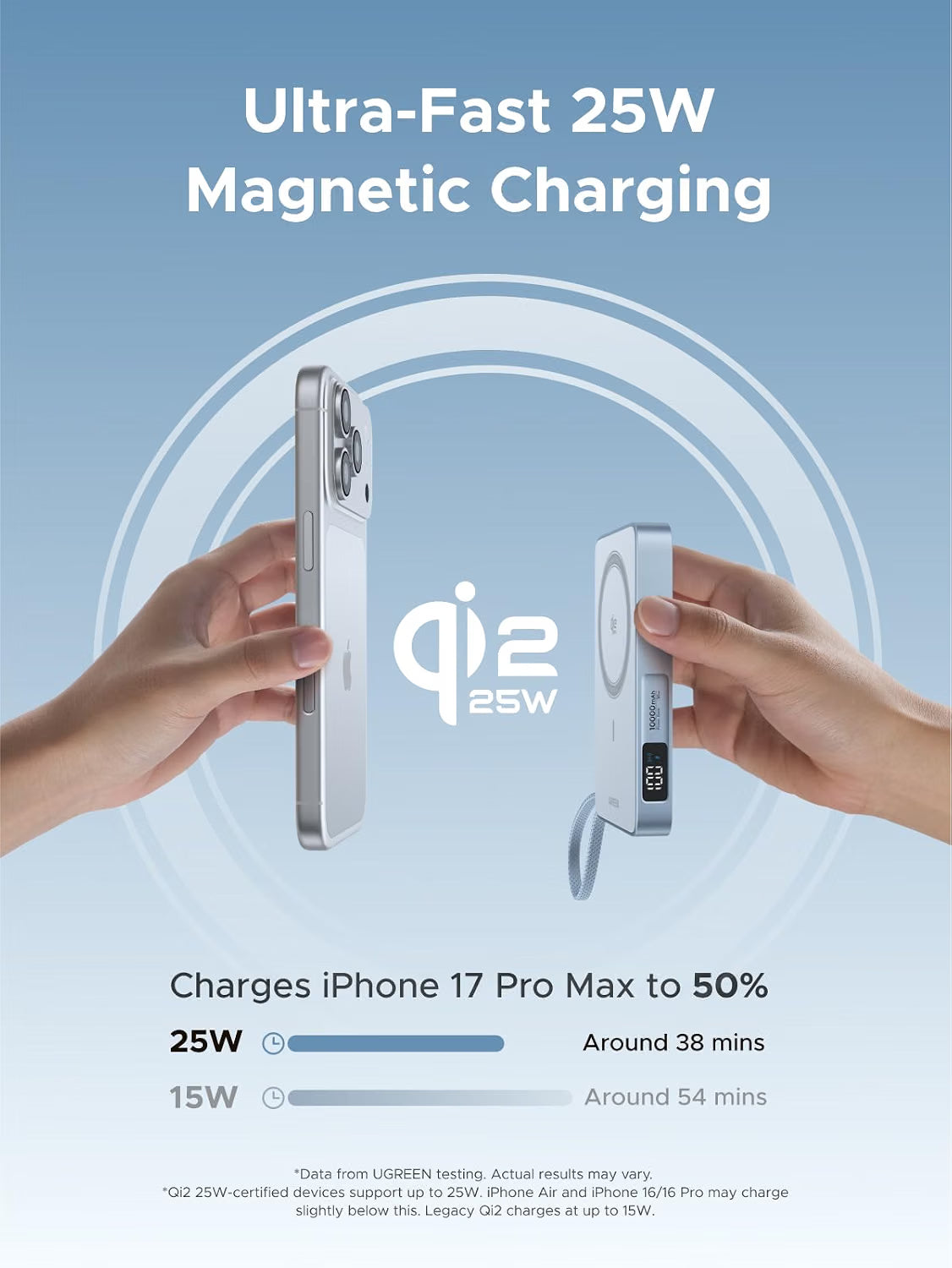
Bring the magnetic face close to a compatible phone and let the alignment guide it into place. Qi2 25W-certified charging gives supported devices a wireless power ceiling of up to 25W, without a cable running from the power bank to the phone.
Use it for a top-up between appointments, a longer day away from a socket or extra power while travelling around town. The available charging rate depends on the phone’s wireless charging support, software, battery level and temperature.
For Qi2 25W-capable phones
Up to 25W is available when the receiving device supports the required mode and conditions allow it.
For earlier compatible devices
Legacy Qi2 devices use their supported lower charging mode, up to 15W. The power bank’s 25W rating does not upgrade a phone’s charging capability.
A magnetic connection that feels natural.
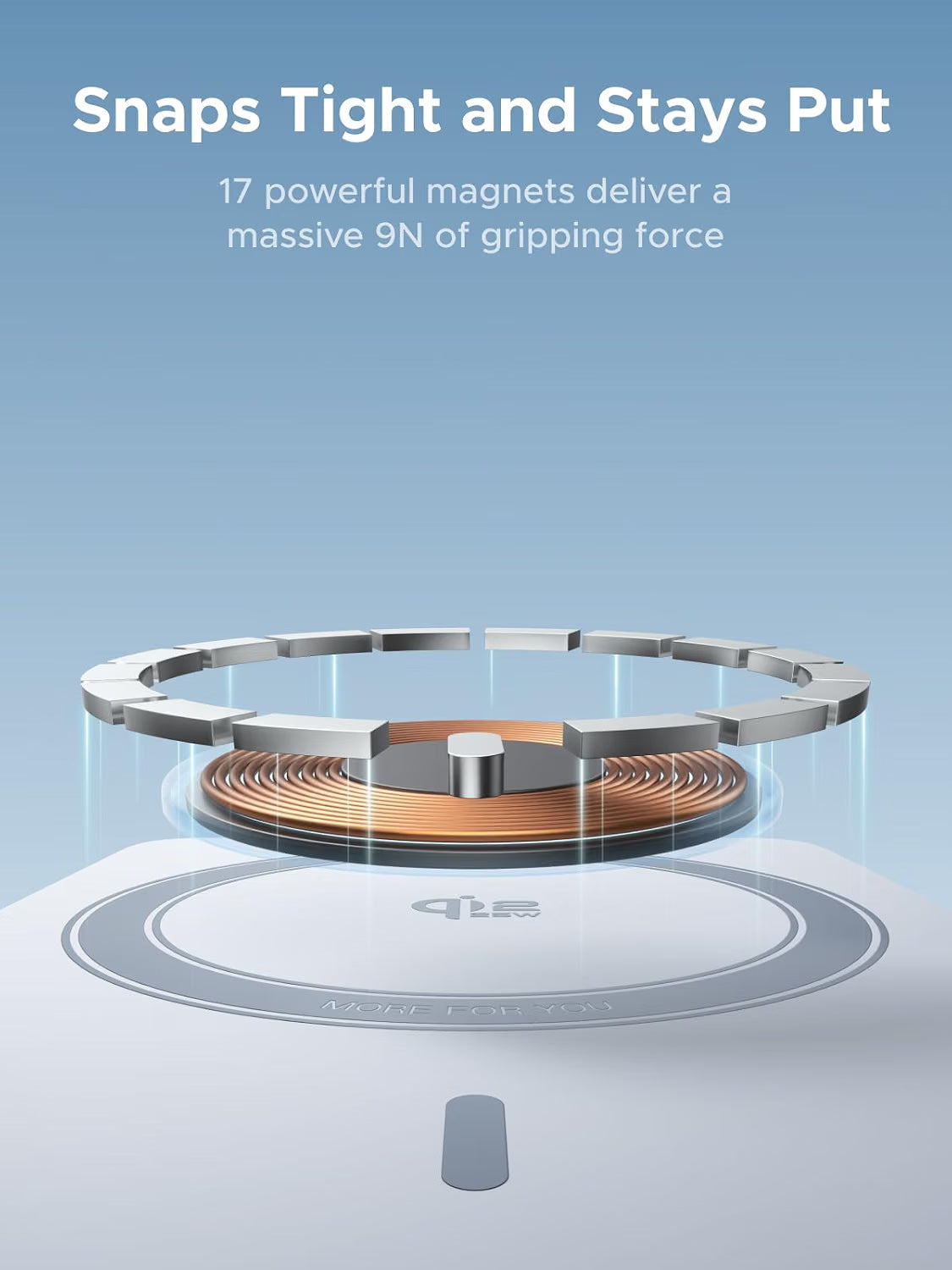
A 17-magnet array helps position the power bank against a compatible phone or magnetic charging case. Alignment matters: the charging coils need to sit in the correct position for an efficient wireless connection.
For the best fit, use a compatible bare phone or a case designed for magnetic wireless charging. Remove wallet attachments and metal accessories from between the phone and power bank. Check that a thick case or raised camera surround does not prevent the surfaces from sitting together properly.
A cable already along for the ride.
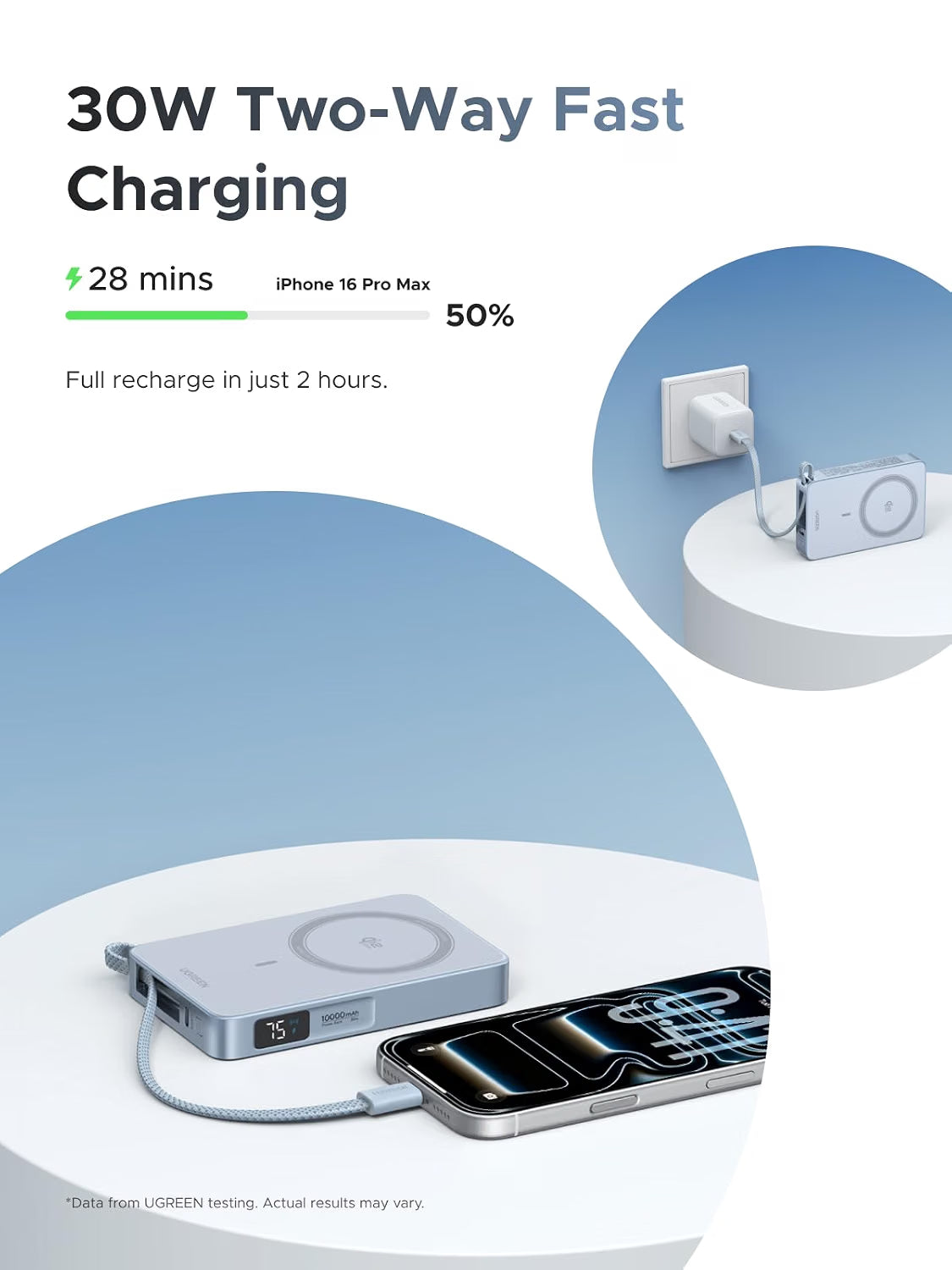
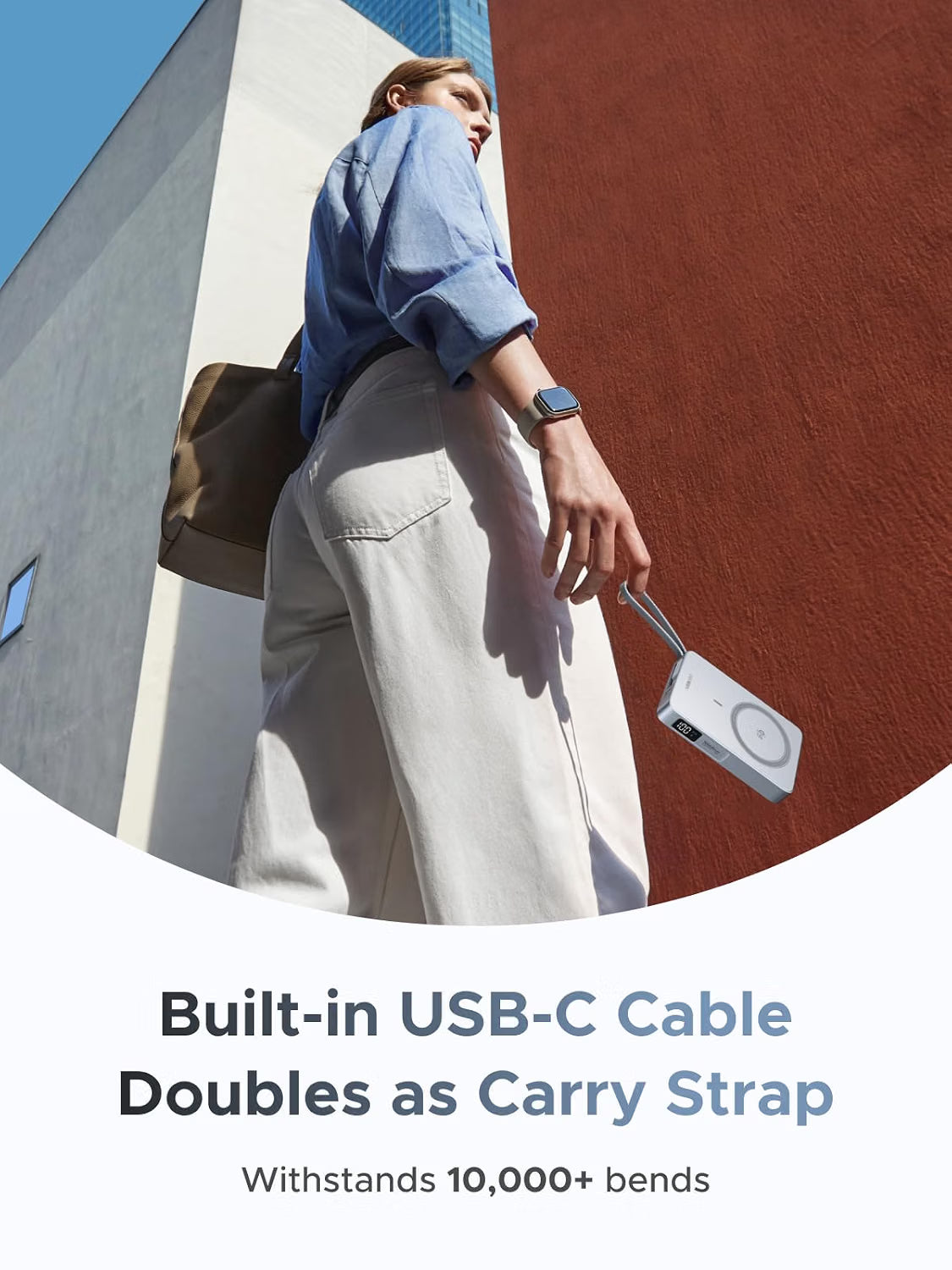
The integrated USB-C cable is ready when you want a wired connection. It supports up to 30W charging with a compatible device and doubles as a carry loop when stowed. A separate USB-C socket gives you another connection option for your own cable.
Charge a USB-C device
Connect the built-in cable to a compatible phone, tablet or other USB-C charging device. The receiving device negotiates the power it accepts.
Recharge the power bank
Use a suitable USB-C power source through the built-in cable or USB-C port. Up to 30W input is supported with compatible charging equipment.
For a Lightning iPhone, use the USB-C socket with a suitable USB-C to Lightning cable. For a laptop, first confirm that it accepts USB-C charging at this power level; a notebook requiring more power may charge slowly or continue using its battery under load.
Room for more than your phone.
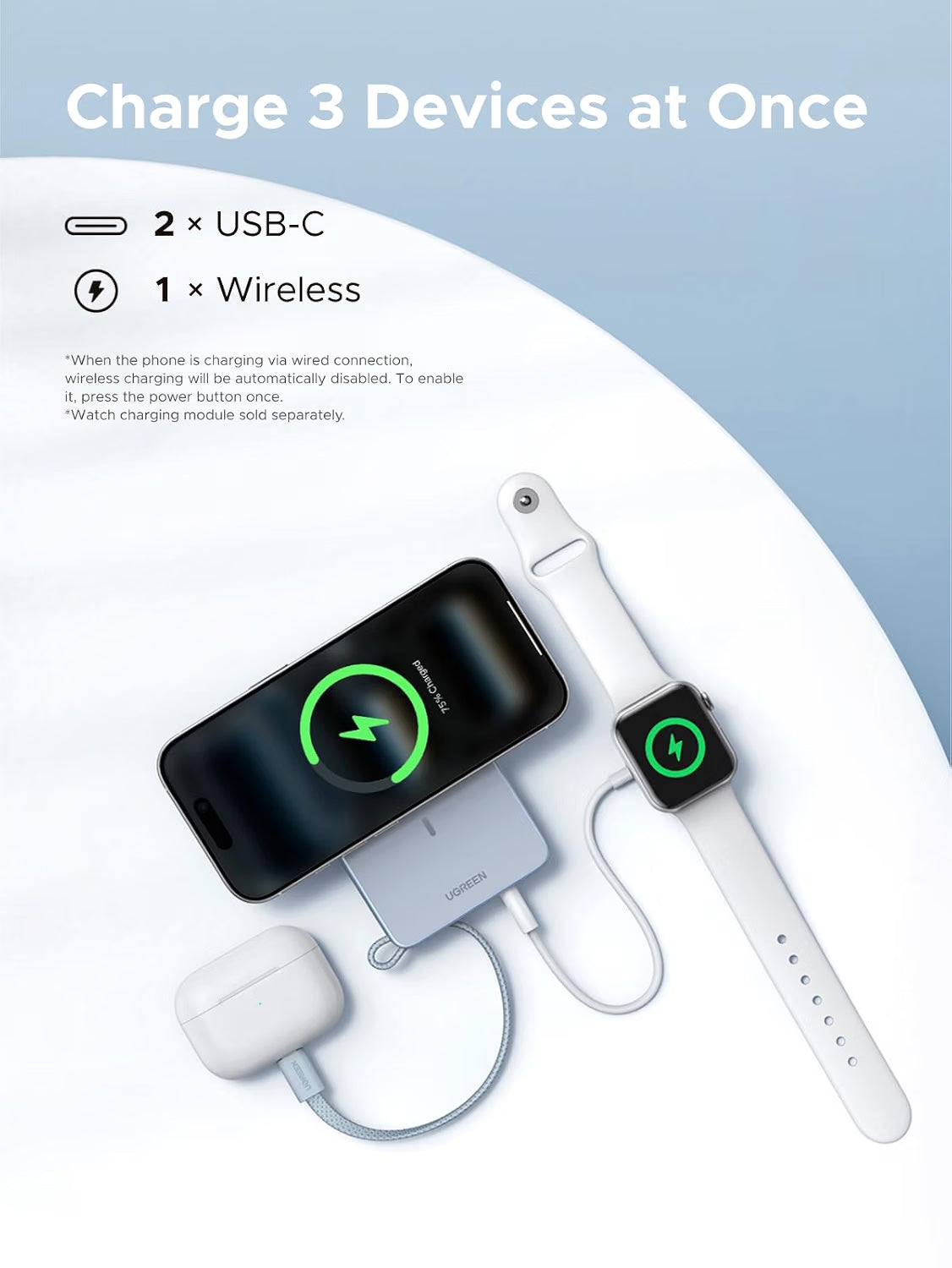
Charge up to three devices using the wireless pad, integrated USB-C cable and USB-C socket. This is useful when your phone and smaller accessories need a top-up together.
Wireless pad
Magnetic wireless charging for a compatible phone.
Built-in USB-C cable
A direct wired connection for a USB-C charging device.
USB-C socket
Connect a suitable cable or a separately supplied charging accessory.
Power is shared when several devices are connected. The 25W wireless and 30W wired figures are individual maximums; they should not be added together as a promised simultaneous output.
Connecting a wired device can switch off wireless charging automatically. Press the power button once to enable wireless charging again when needed. For the quickest top-up of one device, use one charging connection at a time.
Know what’s left before you leave.
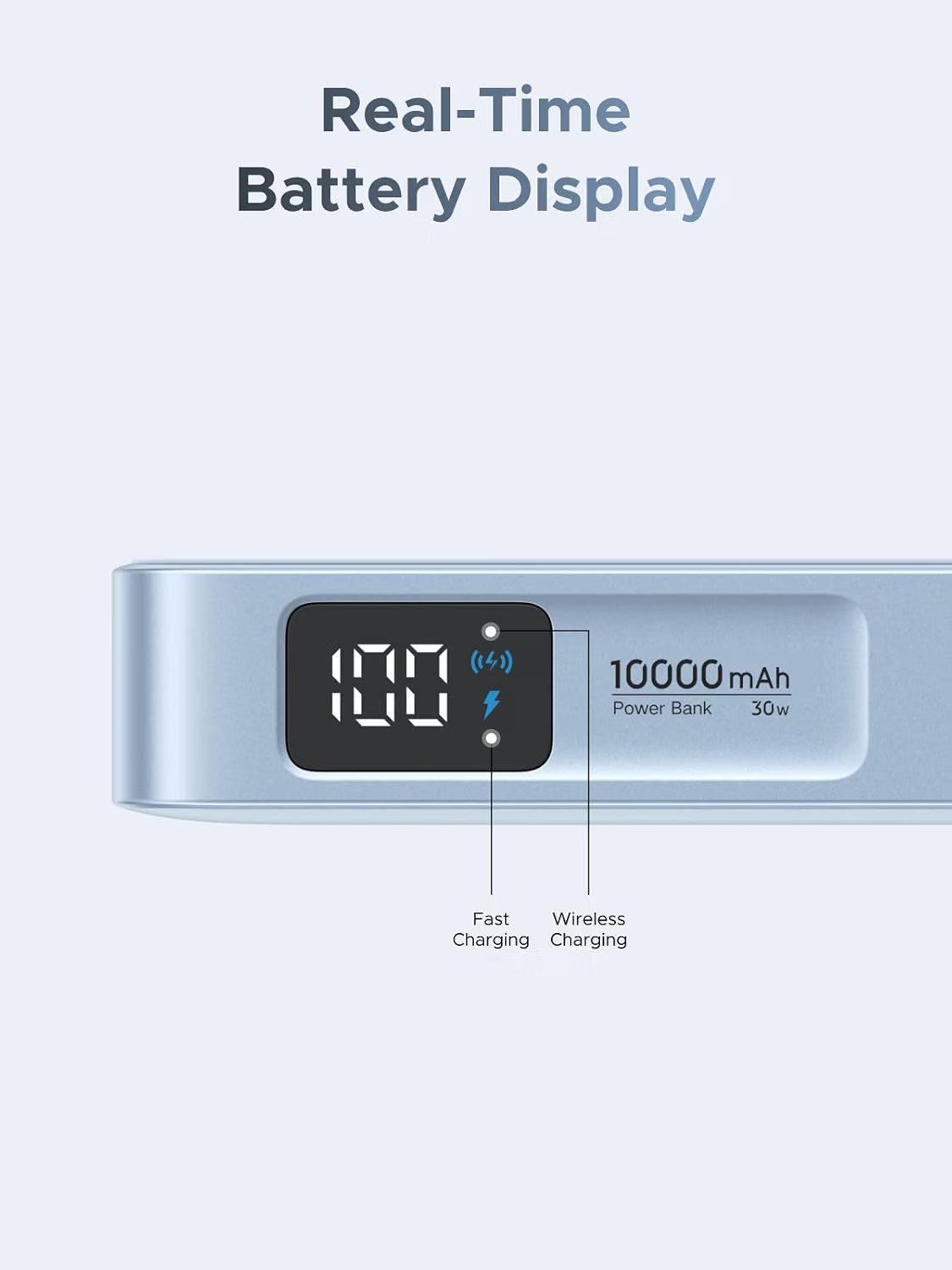
The side display shows the power bank’s remaining battery percentage, with indicators for fast charging and wireless charging. A quick glance helps you decide whether to recharge it before heading out.
10,000mAh of battery capacity
Keep portable reserve power for your phone and everyday accessories. The number of top-ups depends on the device battery, your usage and whether you charge wirelessly or by cable.
Battery capacity is stated at the cell level. Conversion and wireless charging losses mean the full headline capacity does not arrive unchanged at the receiving device.
Check your phone. Find your fit.
Wireless for compatible iPhones
Use with supported MagSafe or Qi2 iPhones and a suitable magnetic charging case where needed. Maximum speed depends on the exact iPhone and its software; newer model names alone do not guarantee 25W.
UGREEN’s guidance lists iPhone 12–15 series at up to 15W, with device-specific limits still applying. Models without wireless charging cannot gain it through a magnetic case.
Wired charging for a wider range
Use the built-in USB-C cable or the USB-C port with compatible Android phones, tablets and accessories. The device must support the charging profile it requests.
Android wireless charging requires suitable wireless-charging hardware and alignment. A magnetic ring or case provides attachment; it does not add Qi2 25W support to a phone.
| Your setup | What to check |
|---|---|
| Qi2 25W phone | The exact device, software and case must support the required magnetic wireless mode. |
| USB-C iPhone or Android phone | The integrated USB-C cable fits the charging port; speed depends on the phone’s supported input. |
| Lightning iPhone | Use compatible wireless charging, or connect a separate USB-C to Lightning cable to the USB-C socket. |
| Earbuds or small accessories | Use the correct wired charging connection and check the accessory’s input requirements. |
| Apple Watch | Use a separate compatible Apple Watch charging module. The phone’s magnetic pad is not an Apple Watch charging puck. |
Compact dimensions. A useful finishing touch.
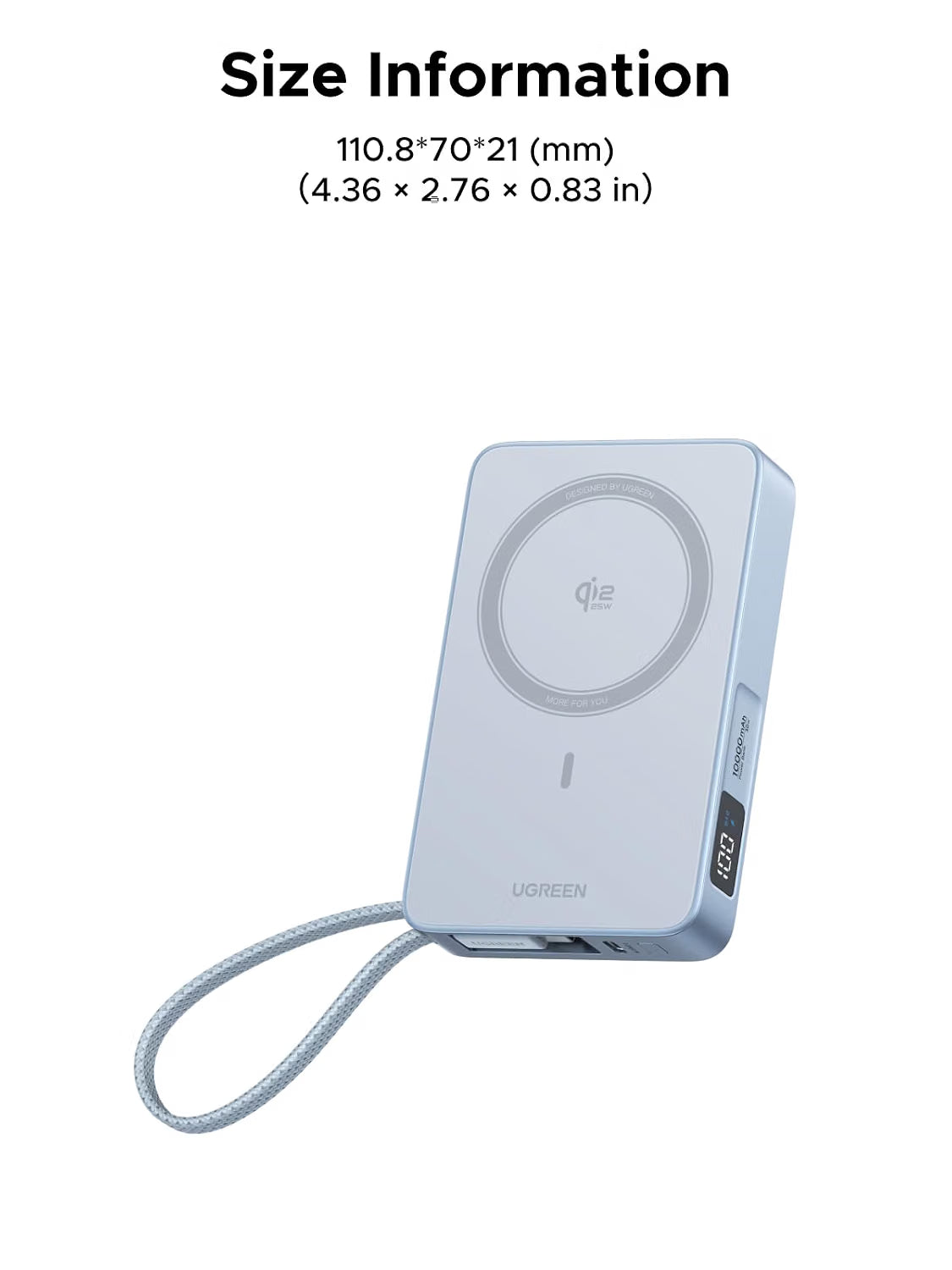
At approximately 110.8 × 70 × 21 mm, MagFlow fits into an everyday charging kit without a separate cable to remember for USB-C devices. The integrated braided cable also forms a carry loop when secured in its storage position.
The blue finish, rounded corners and side-mounted display give the power bank a tidy, practical form. Leave room for the phone’s camera area and check the combined size if you plan to hold both together for longer periods.
Designed to manage heat as it charges.
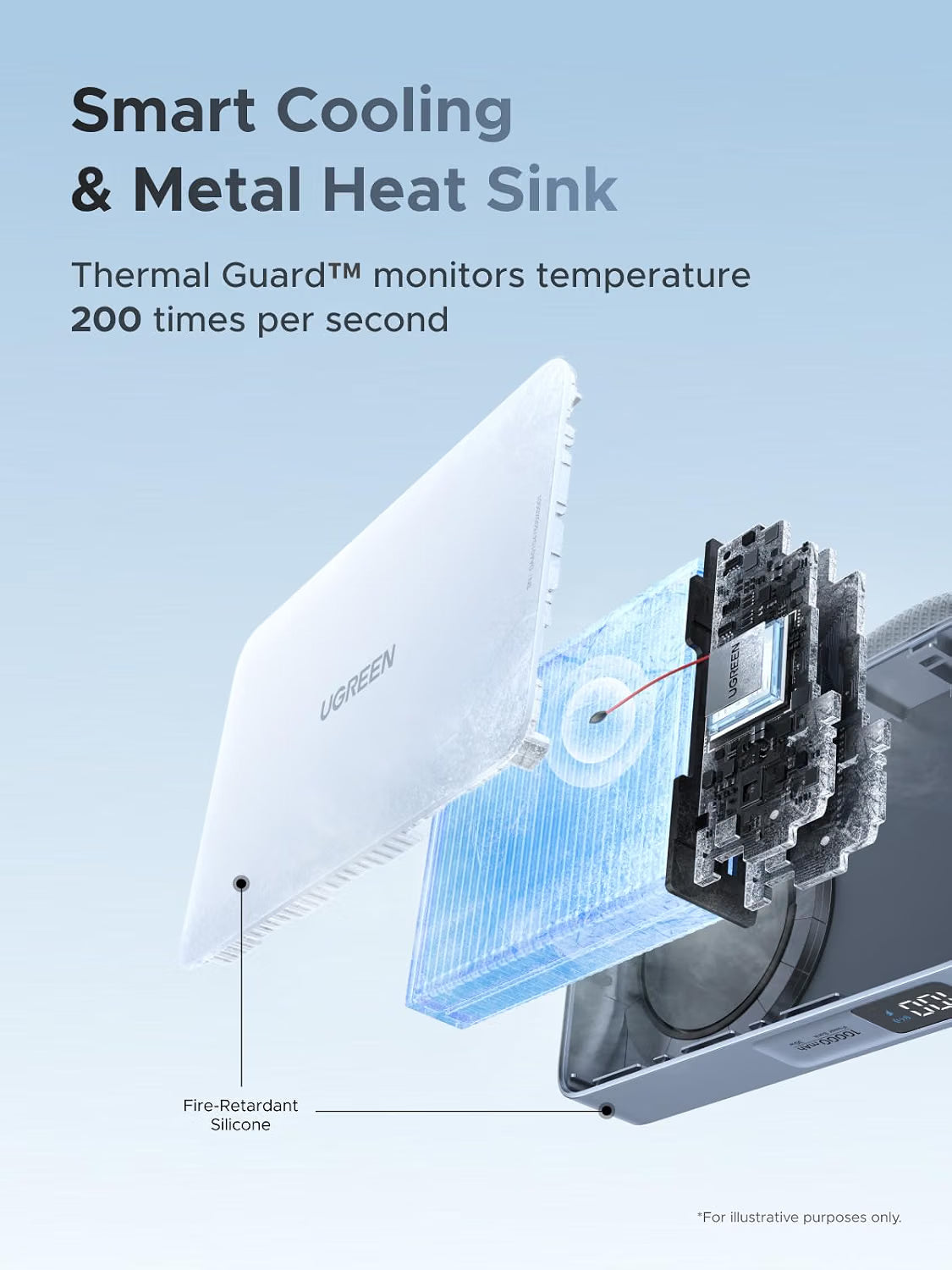
Thermal Guard temperature monitoring and a metal heat sink help manage charging heat. UGREEN’s product artwork describes temperature checks 200 times per second, alongside protections against conditions such as overheating and short circuits.
Some warmth can occur during wireless charging. Keep the phone and power bank uncovered and out of direct sunlight. If charging slows as the devices warm up, pause demanding apps and let the setup cool before continuing.
Charge it. Connect it. Get on with your day.
- Start with a charged power bankCheck the display. Recharge through the USB-C port or built-in cable using a compatible USB-C charger when needed.
- Choose wireless or wiredAlign a compatible phone on the magnetic face, or connect the correct USB-C charging cable to the device.
- Confirm the charging indicatorCheck the phone or accessory as well as the power bank’s display. If wireless charging switched off after a wired connection, press the power button once to re-enable it.
- Adjust for your prioritiesUse one connection for a focused top-up, or connect additional supported devices with shared power. Keep the charging area clear and ventilated.
The essentials, clearly listed.
| Product | UGREEN MagFlow Magnetic Power Bank |
|---|---|
| India SKU | 65958B |
| Colour | Blue |
| Battery capacity | 10,000mAh |
| Wireless charging | Qi2 25W-certified; up to 25W with compatible devices |
| Wired charging | Up to 30W through the integrated USB-C cable or USB-C port |
| Self-recharging | Up to 30W USB-C input with a suitable power source |
| Connections | 1 magnetic wireless pad + 1 built-in USB-C cable + 1 USB-C socket |
| Simultaneous charging | Up to 3 devices; available output is shared |
| Magnetic alignment | 17-magnet array |
| Display | Remaining battery percentage; fast-charging and wireless-charging indicators |
| Dimensions | Approximately 110.8 × 70 × 21 mm |
| Built-in cable | USB-C charging cable with carry-loop function |
| Thermal management | Thermal Guard temperature monitoring and metal heat sink |
| Apple Watch charging | Requires a separate compatible charging module; module sold separately |
Maximum charging rates require compatible equipment. Actual power changes with device support, battery level, temperature and the number of connected devices.
Good questions. Clear answers.
Will every compatible iPhone charge wirelessly at 25W?
No. The phone must support the appropriate faster wireless mode. Earlier compatible iPhones use lower charging rates, and the exact model, software, temperature and battery level affect the result.
What affects charging speed?
The phone’s supported charging mode, battery level, temperature and activity all affect the result. Charging typically slows as the battery fills. Power is also shared when several devices charge at the same time.
How is the built-in cable stored?
The integrated USB-C cable stays attached to the power bank and can form a carry loop when stowed. Use the separate USB-C socket when you want to connect your own suitable cable.
Can I recharge the power bank through the built-in cable?
Yes. The built-in USB-C cable and USB-C port support two-way charging, with up to 30W input from suitable charging equipment.
Why did wireless charging stop after I connected a cable?
This model can disable wireless charging automatically when a wired device starts charging. Press the power button once to enable wireless charging again when needed. Power is shared when multiple outputs are used.
Can it charge an Apple Watch directly on the magnetic pad?
No. An Apple Watch needs its own compatible charging module. The watch module shown in the multi-device illustration is sold separately.
Will it work through any phone case?
Case thickness, material, magnetic alignment and the camera surround can affect fit. Use a case intended for magnetic wireless charging and remove wallet attachments or metal objects between the phone and the power bank.
Can I use it with a laptop?
Only if the laptop supports a suitable USB-C charging input within the available power. The 30W wired ceiling suits some light-duty charging needs; it is not a substitute for every higher-power laptop charger.
How many full phone charges will I get?
There is no single reliable count for every phone. The phone’s battery size, starting charge, activity, cable or wireless mode and conversion losses determine the usable top-ups.
What if the power bank or phone becomes warm?
Move the setup out of direct sunlight, keep it uncovered and reduce demanding phone use. Charging can slow while temperature is managed. If either device becomes unusually hot, stop charging and let it cool.
Does adding a magnetic ring give an Android phone Qi2 charging?
No. A ring or magnetic case can help attachment, but the phone must already support the required wireless-charging function and protocol. Wired USB-C charging is a separate option for compatible devices.
